



SaaS is the future of modern businesses, and dashboards are the backbone of every successful SaaS application. The demand for SaaS applications is growing faster than ever, with businesses constantly seeking smarter, faster, and more scalable digital solutions. However, building a modern SaaS application is no longer just about backend functionality. It also requires a clean user interface, seamless user experience, responsive layouts, powerful dashboards, and flexible components that simplify complex workflows and enhance overall productivity.
Today’s users expect visually polished, highly interactive, and responsive dashboard experiences across every platform. From CRM systems and project management software to analytics platforms and enterprise applications, dashboards have become a core part of a SaaS product’s identity and user experience.
At the same time, developing a professional admin interface completely from scratch can be both challenging and time-consuming. Designing layouts, building reusable components, integrating charts and tables, and maintaining responsiveness across devices can significantly slow down development timelines and increase project complexity.
This is where SaaS dashboards become a game changer. Modern SaaS admin templates help developers speed up frontend development with ready-made UI systems and professional designs, allowing them to focus more on functionality and feature development instead of building interfaces from scratch.
In this blog, we’ll explore why SaaS dashboard templates are essential for modern web applications, what features matter most, and how choosing the right dashboard template can streamline your entire development workflow.
What Makes a SaaS Dashboard Truly Effective
A successful SaaS dashboard is not just about attractive design. It should provide a seamless user experience that helps users manage tasks efficiently, access important data quickly, and improve overall productivity. In modern SaaS applications, dashboards often become the central workspace where users interact with the platform daily.
However, not all dashboard templates are built the same. Choosing the right SaaS dashboard template can significantly impact development speed, application performance, scalability, and long-term maintainability. Here are some essential features that make a SaaS dashboard truly future-ready.
- Clean and Intuitive User Interface: A SaaS dashboard should have a modern, organized, and user-friendly interface that allows users to navigate easily and manage tasks without confusion.
- Responsive Design: An effective dashboard must work seamlessly across desktops, tablets, and mobile devices while maintaining consistent performance and usability.
- Powerful Data Visualization: Charts, analytics widgets, tables, and statistics cards help users understand complex data quickly and make better business decisions.
- Fast Performance and Scalability: A modern SaaS dashboard should load quickly, handle large amounts of data efficiently, and support future business growth without affecting performance.
- Reusable and Flexible Components: Reusable UI components and flexible layouts help developers speed up development while maintaining design consistency across the application.
- Real-Time Features: Live notifications, activity updates, and real-time data synchronization improve user engagement and overall workflow efficiency.
- Customization and Flexibility: Features like dark mode, customizable layouts, and configurable widgets allow businesses to personalize the dashboard according to their workflow needs.
- Security and User Management: Authentication, role-based access control, and secure data management are essential for protecting business data and managing user permissions effectively.
Key Benefits of Modern SaaS Dashboard Templates
Faster Product Development: SaaS dashboard templates help developers accelerate the development process by providing ready-to-use layouts, pages, and UI structures. This allows teams to reduce frontend development effort and launch products much faster.
Reduced Development Cost: Building a professional dashboard from scratch requires significant time, resources, and development investment. Pre-built SaaS templates help businesses minimize overall project costs while maintaining professional quality standards.
Improved Developer Productivity: With many frontend elements already prepared, developers can spend more time focusing on core business functionality, integrations, and feature development instead of repetitive interface creation.
Easier Project Maintenance: Modern SaaS templates usually follow organized coding standards and structured architecture, making applications easier to maintain, manage, scale, and update over the long term.
Faster Integration with Modern Technologies: Most SaaS dashboard templates support popular frameworks, libraries, APIs, and third-party services, helping developers integrate modern technologies and business tools more efficiently.
Consistent Design Standards: Using a SaaS dashboard template helps maintain a consistent visual structure and design language across the entire application, creating a more professional and organized product experience.
Best SaaS Dashboard Templates for 2026
Check out the SaaS dashboard templates below that help simplify frontend development and accelerate modern web application creation.
1. Ynex
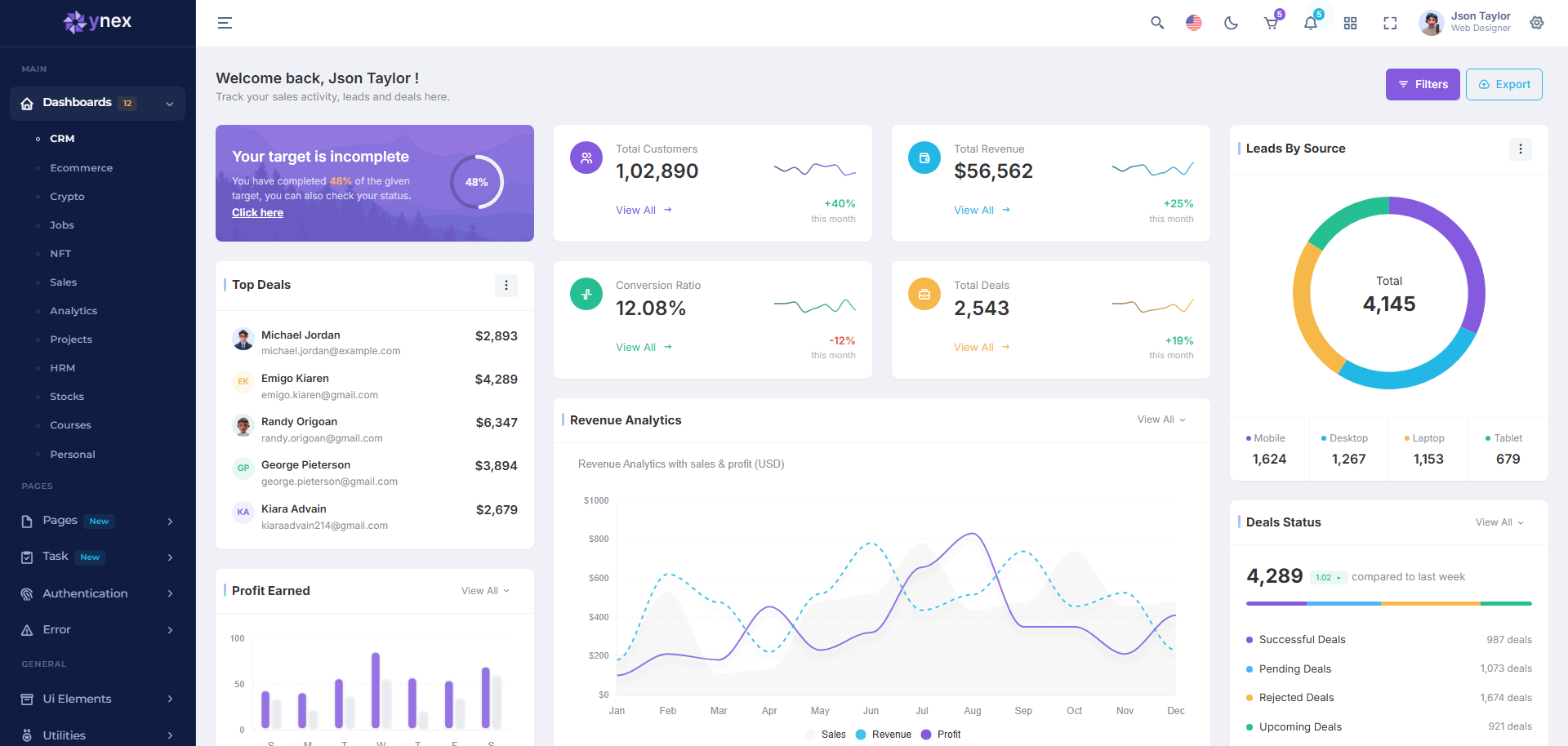
Ynex admin template is built for teams that want a complete React-based admin system without spending time on repetitive setup work. It brings multiple ready dashboards into a single structured environment, making it easier to manage different SaaS modules like CRM, analytics, and finance in one place.
The template is designed with a flexible architecture that adapts well to both startup MVPs and large enterprise applications. Developers can quickly adjust layouts, themes, and components while keeping the overall UI consistent across the platform.
Key Features:
- Built with React and Tailwind CSS
- 16 different dashboards
- Responsive design
- Easy customization
- Prebuilt pages
- RTL supported
- Light and Dark theme
2. Vyzor
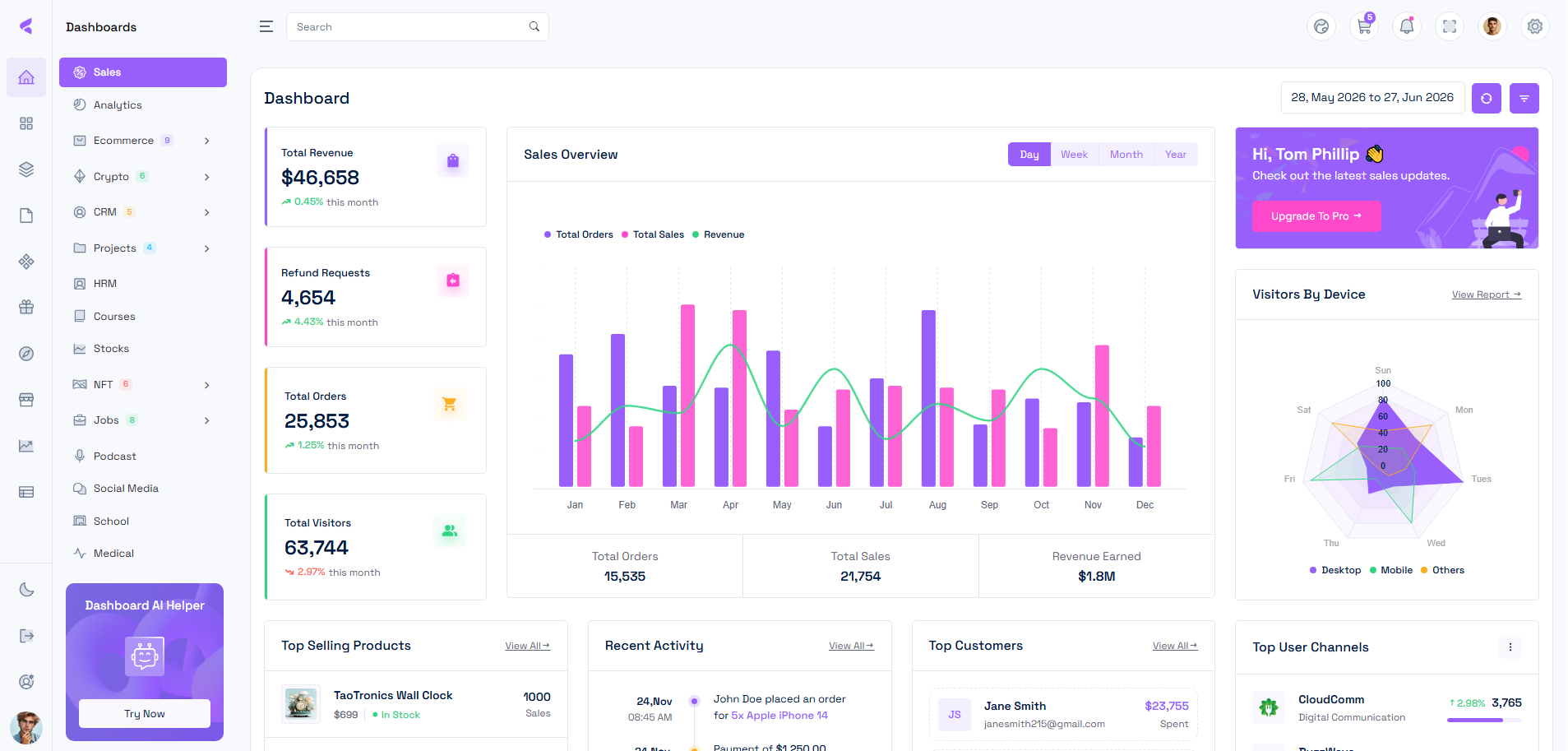
Vyzor admin dashboard template works like a complete control center for building multi-functional admin applications. It is structured to handle different business operations under one interface, which makes it ideal for complex SaaS platforms and enterprise dashboards.
The template is especially useful in environments where multiple departments or roles interact with the same system. Despite its depth, the interface remains clean and easy to navigate, allowing developers to manage large-scale applications without losing clarity.
Key Features:
- Built with MudBlazor and Bootstrap
- Total 16 dashboards
- RTL and LTR supported
- Light, Dark and Color themes
- Highly customizable
- Major browser compatibility
- Fully responsive across all screen sizes
- Vertical and horizontal menu support
3. Xintra
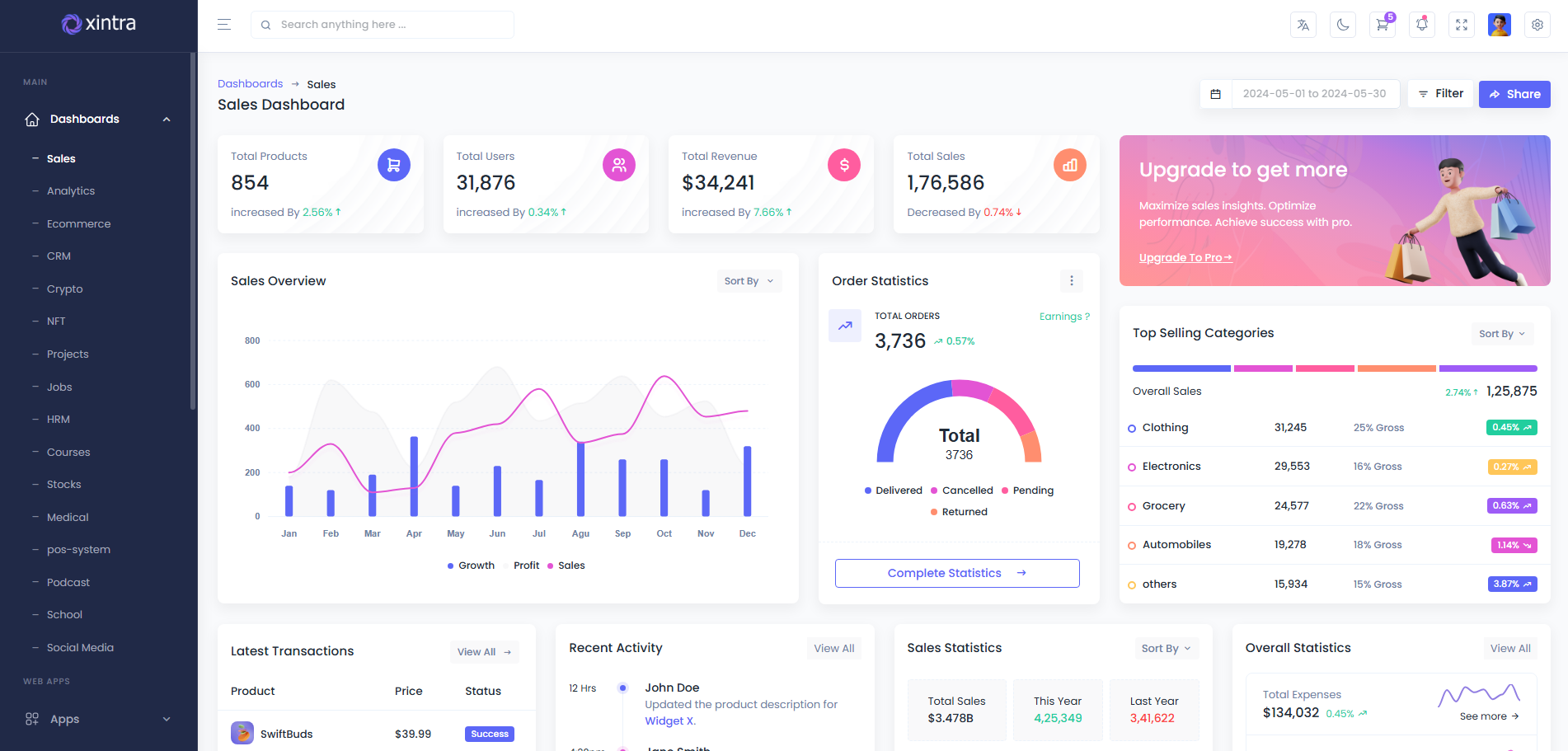
Xintra Tailwind CSS Angular Admin Template is a modern and feature-rich admin dashboard template designed for SaaS applications, enterprise platforms, and advanced web projects. Built with Angular and Tailwind CSS, the template delivers clean layouts, responsive design, and a smooth user experience across all modern devices.
Xintra includes reusable UI components, ready-to-use pages, charts, forms, tables, and multiple dashboard variations that help simplify frontend development. With dark/light modes, multiple layout styles, and a developer-friendly structure, it offers an efficient and flexible solution for building modern admin panels and SaaS applications.
Key Features:
- Built with Angular and Bootstrap
- Wide range of reusable components
- 16 dashboards
- Vertical and horizontal layout
- Responsive to all devices
- Available in multiple frameworks
- Clean and simple design
- Professional documentation
4. Sash
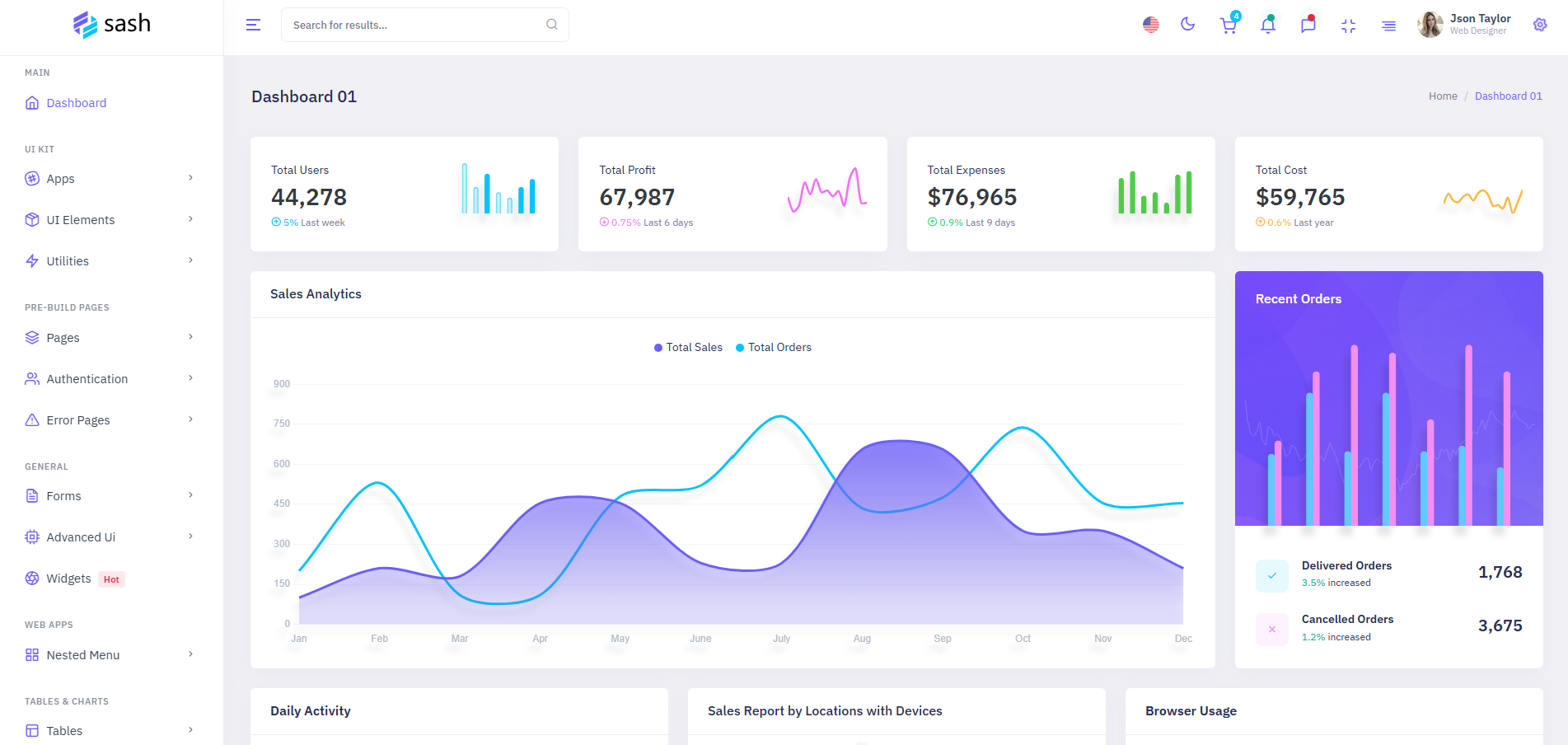
Sash is designed for fast SaaS dashboard deployment where simplicity and speed matter most. It provides a ready Bootstrap interface that helps developers quickly build admin panels without heavy setup. The template keeps UI minimal and functional, making it suitable for analytics tools and business dashboards. Its lightweight structure improves development efficiency while ensuring smooth performance across modern web applications. Sash also supports dark and light styles, RTL compatibility, and flexible layout options, making it suitable for CRM systems, analytics platforms, and enterprise web applications.
Key Features:
- Available in different frameworks
- Single dashboard layout
- Multiple charts and tables
- Regular updates
- Easy to create your own site
- High-quality code
- Dark theme
- RTL supported
5. Valex
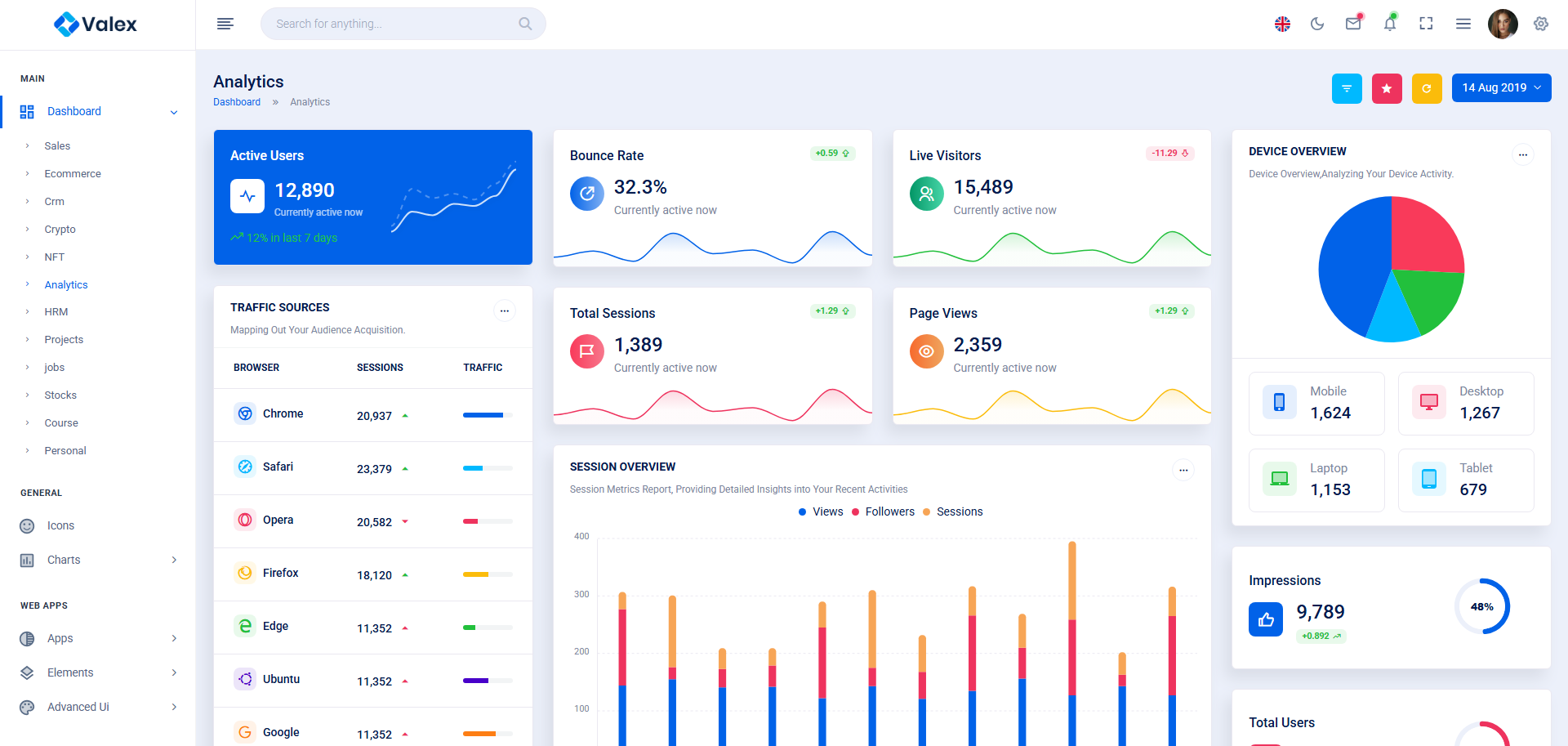
Valex Tailwind CSS HTML Template Dashboard brings a modern utility-first design approach for building professional admin panels and SaaS applications. Powered by Tailwind CSS, this simple admin template delivers fast-loading layouts, clean UI elements, and a flexible structure that makes customization simple for developers.
It includes a rich collection of dashboards, widgets, forms, tables, charts, and authentication pages designed to speed up development workflows. With support for multiple layouts, dark mode, and responsive design, Valex is well-suited for startups, business platforms, and enterprise web applications.
Key Features:
- 12 different dashboards
- Built with Tailwind and HTML
- Available in different tech frameworks
- 150+ prebuilt pages
- Neat and simple design
- Complete documentation
- Lifetime updates
- Responsive design
- Easy to customize
6. Mamix
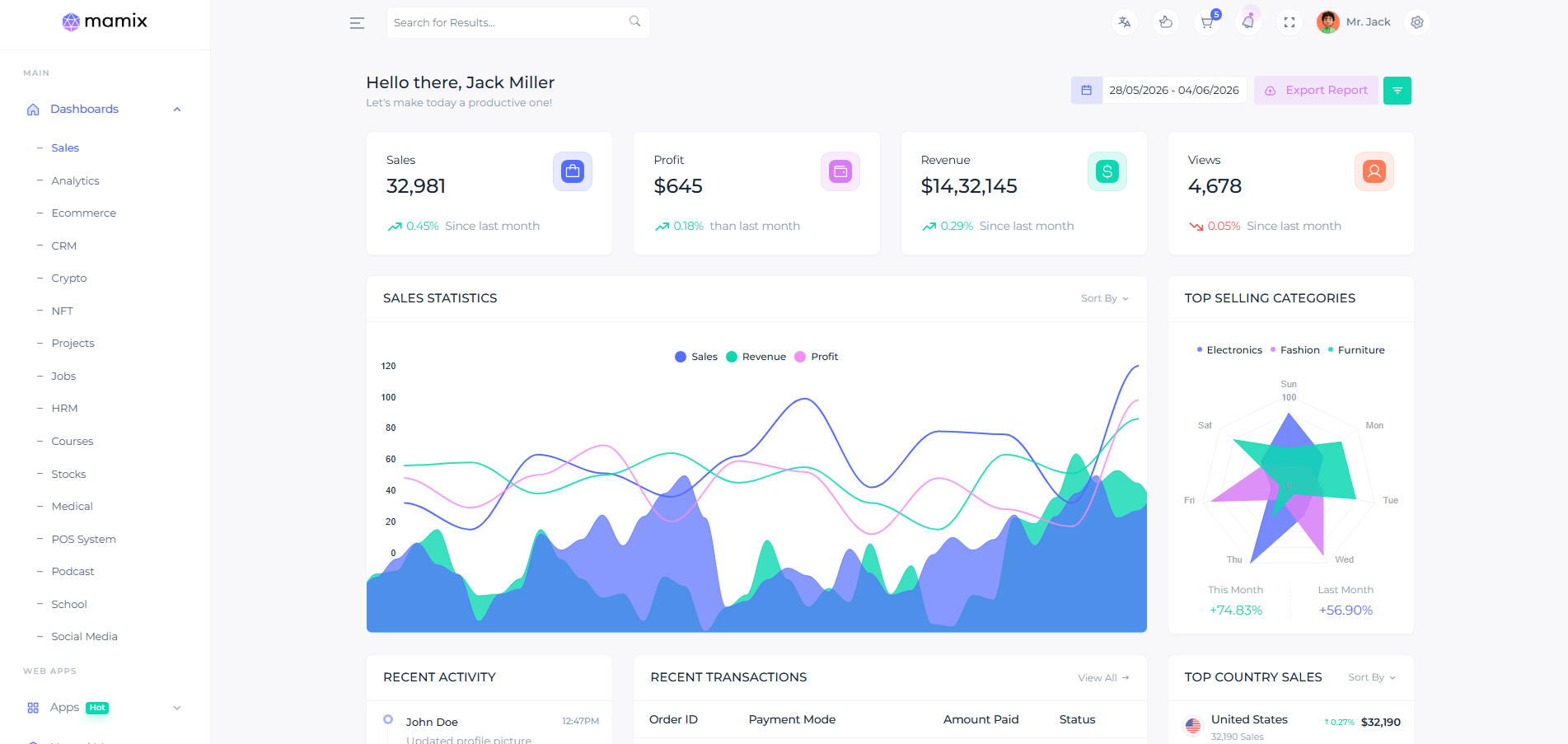
Built with Next.js App Router, TypeScript, and Tailwind CSS, Mamix NextJS App Router TypeScript Tailwind CSS Admin Template is designed for creating fast, scalable, and modern SaaS applications. The template features clean layouts, responsive design, and a smooth user experience that works seamlessly across all devices.
Mamix includes multiple dashboard variations, reusable UI components, advanced forms, charts, tables, authentication pages, and ready-to-use application modules that help simplify frontend development. With dark and light themes, flexible layout styles, and an easy-to-customize structure, Mamix is a great choice for startups, admin panels, and enterprise web applications.
Key Features:
- Built with Next.js and Tailwind
- Available in HTML, Laravel, React, Angular and more
- 12+ dashboards
- Easy customization
- Simple and high quality code
- Proper documentation
- Lifetime free updates
7. Zeno
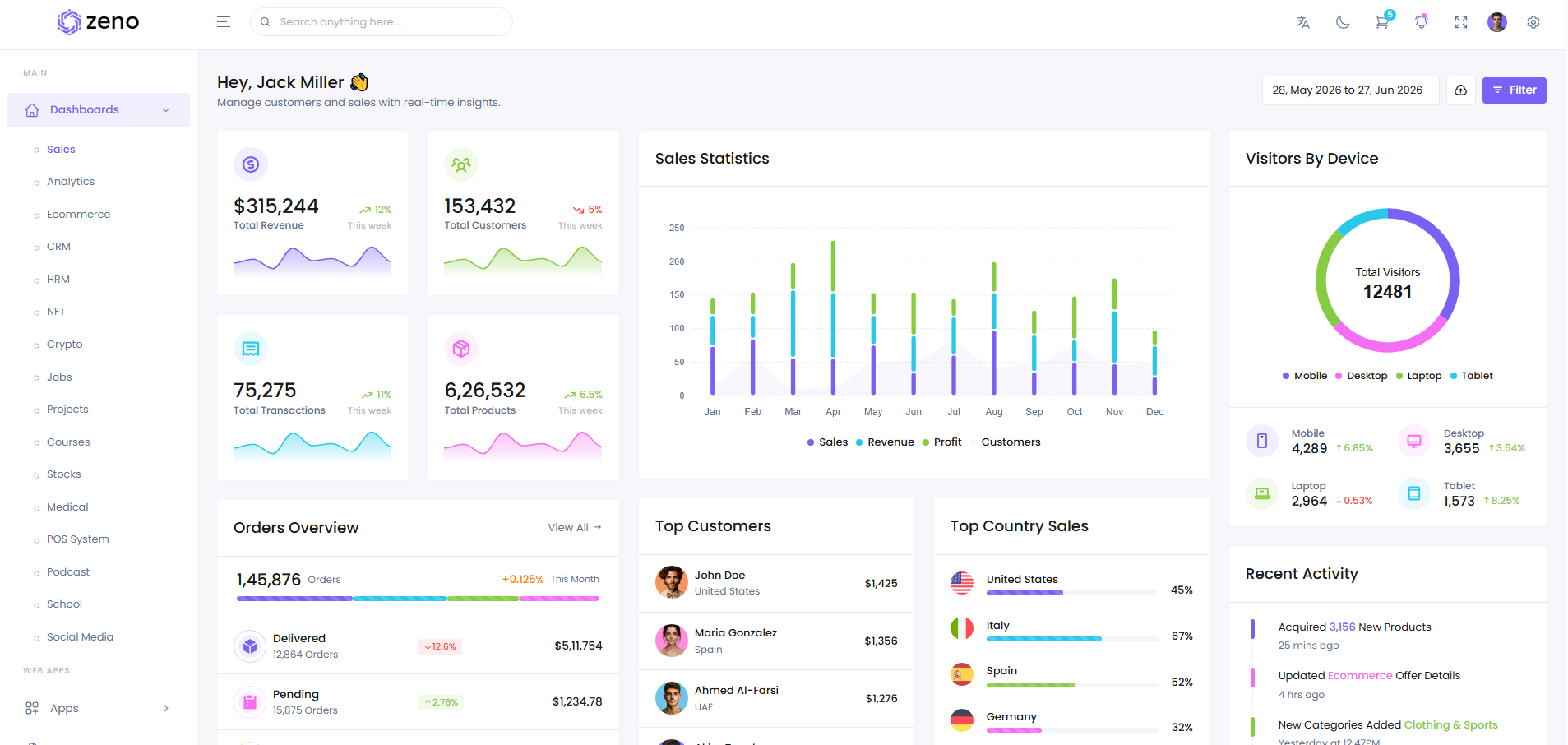
Created for admin panels, SaaS products, and business management systems, Zeno PHP Bootstrap SaaS Dashboard Admin Panel Template combines a clean Bootstrap interface with a practical and developer-friendly design structure. The template includes reusable UI components, dashboards, forms, tables, charts, and ready-made application pages that help simplify backend and admin panel development.
Zeno also offers responsive layouts, multiple theme styles, dark mode support, and flexible customization options, making it suitable for CRM platforms, analytics systems, and modern PHP web applications.
Key Features:
- 180+ prebuilt pages
- Integrated plugins, charts and maps
- 16 dashboard variations
- Built with PHP and Bootstrap
- Responsive design
- Customizable
- Neat and clean code
- Professional company support
8. Zynix
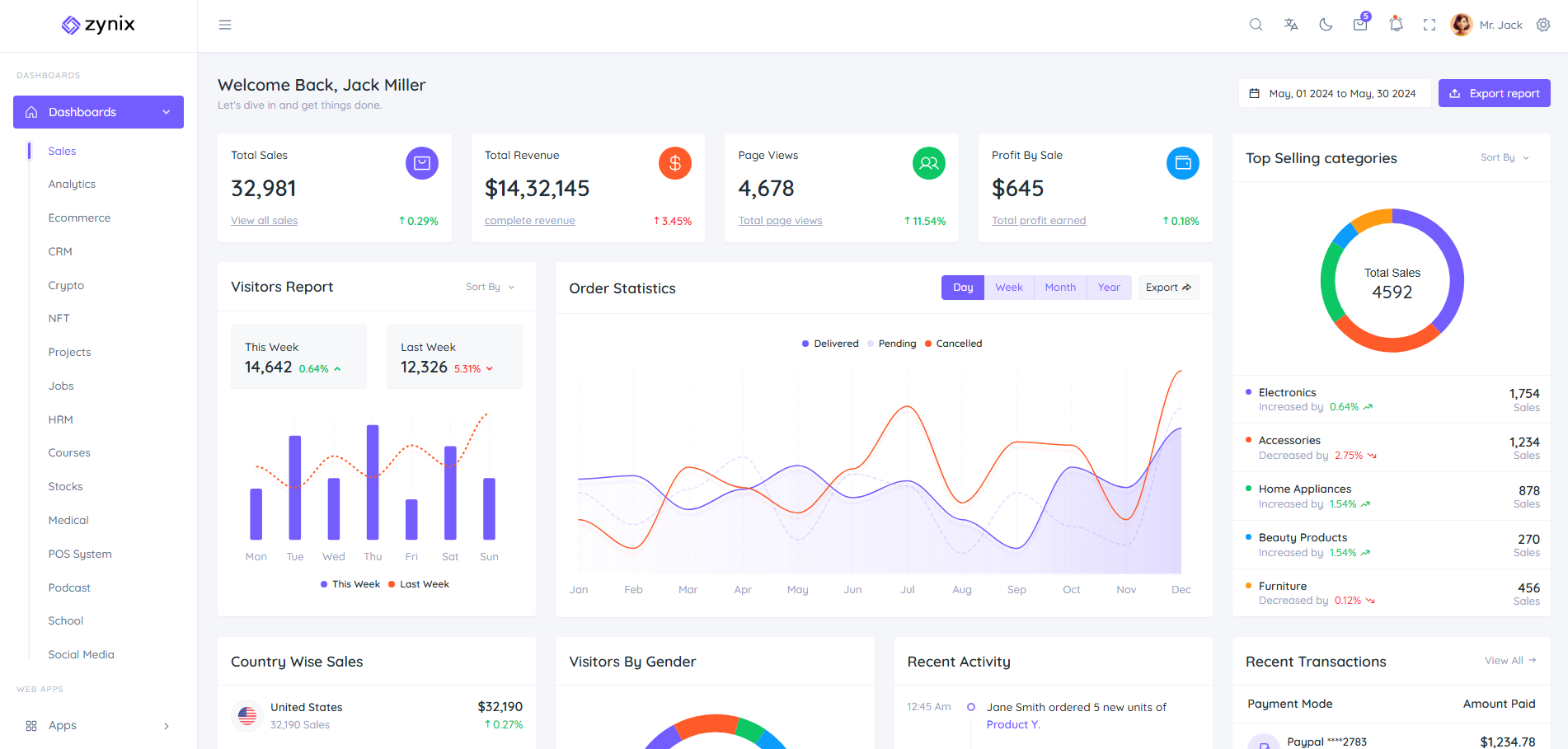
Designed with a clean Bootstrap interface and modern UI structure, Zynix Bootstrap Dashboard HTML Template is suitable for SaaS applications, admin panels, analytics systems, and business management platforms. The template offers a smooth and responsive layout that helps developers build professional dashboards with less development effort.
Zynix includes reusable components, charts, tables, forms, widgets, and ready-made pages that simplify frontend customization. With dark mode support, flexible layouts, and organized code structure, it provides a reliable solution for creating scalable and user-friendly web applications.
Key Features:
- 16 dashboards
- Responsive design
- All browser compatibility
- Easy customization
- User friendly interface
- Simple high quality code
- Regular updates
- Available in all tech stacks
- RTL supported
9. Spriz
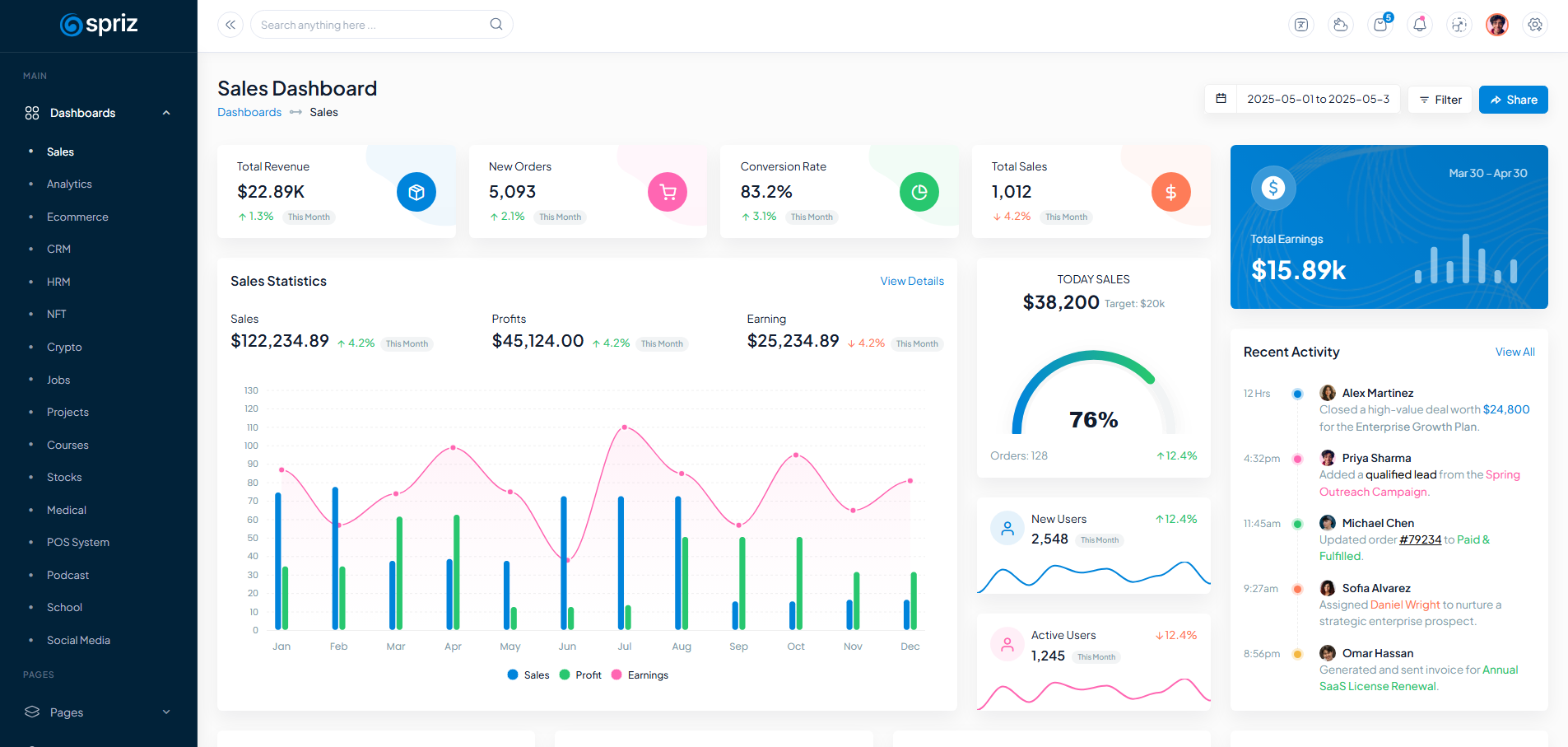
Focused on simplicity and usability, Spriz Premium HTML Bootstrap Admin Dashboard Template provides a clean dashboard environment for SaaS products, CRM systems, analytics platforms, and business applications. Its organized layout and responsive Bootstrap design help developers create professional admin interfaces with minimal effort.
Spriz comes with reusable UI elements, ready-made pages, charts, tables, widgets, and multiple dashboard styles that speed up frontend development. With dark mode support, flexible customization options, and a developer-friendly code structure, it is a solid choice for building scalable and modern web applications.
Key Features:
- Built on responsive HTML Bootstrap
- 100+ ready to use pages
- 15+ dashboards
- Dark mode support
- RTL and LTR support
- Multiple charts and tables
- Easy to customize
- Vertical and horizontal layouts
- Extensive documentation
10. Clont
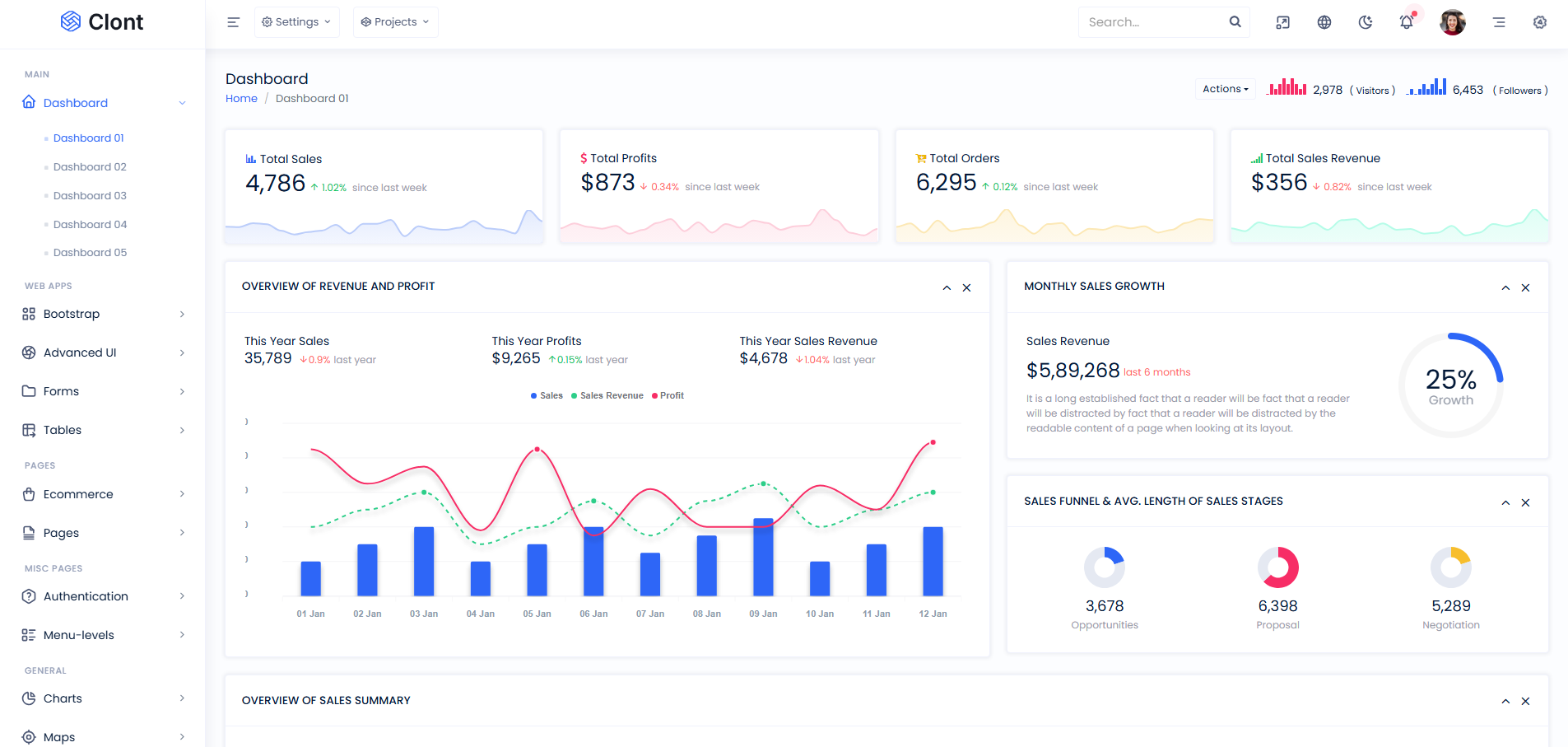
Clont Bootstrap Admin Dashboard HTML Template offers a minimal and polished admin dashboard design suitable for SaaS platforms, CRM software, and enterprise web applications. Built with Bootstrap, the template provides a responsive interface with neatly designed components that improve both usability and development efficiency.
The template comes with dashboard widgets, data tables, charts, forms, authentication pages, and reusable UI sections that help developers create complete admin panels faster. Its customizable structure, multiple themes, and clean coding standards make Clont a reliable choice for modern frontend development.
Key Features:
- Responsive Bootstrap framework
- Available in HTML and Laravel framework
- 5 different dashboards
- Responsive design
- 100+ prebuilt pages
- 50+ plugins
- Easy to customize
- RTL supported
- Light, Dark and Color themes
11. Splite
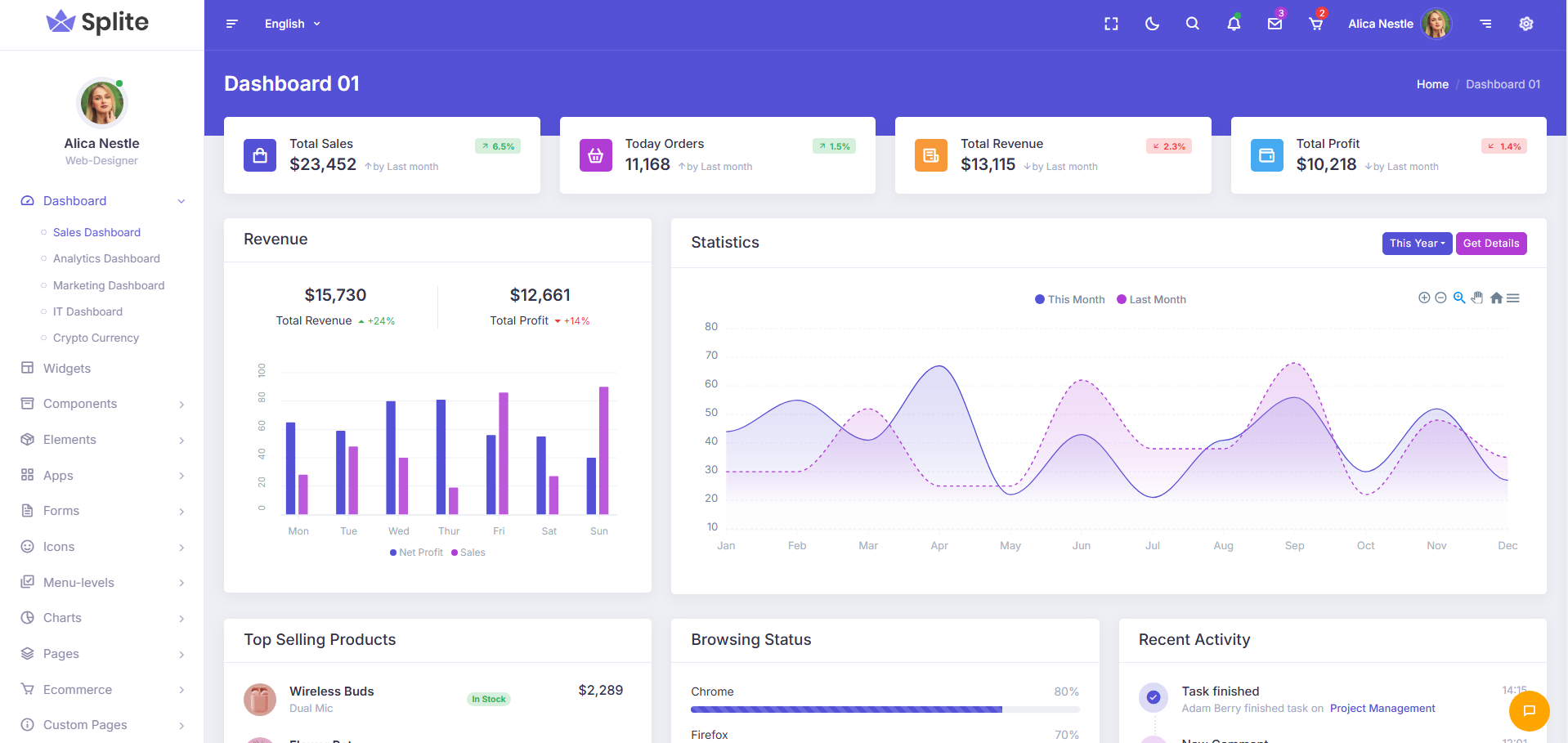
Splite SaaS Dashboard Bootstrap Admin Template brings a simple yet professional dashboard experience for developers building SaaS products and business applications. Its balanced design structure and Bootstrap-based framework make the template easy to work with for both small and large-scale projects.
From analytics widgets and data tables to authentication pages and reusable interface elements, Splite provides everything needed to speed up dashboard development. The template also includes flexible theme options, responsive layouts, and neatly structured code that supports smooth customization and long-term project maintenance.
Key Features:
- Built with HTML and Bootstrap
- All browser compatibility
- Easy customization
- Clean and simple code
- Dark & Light versions
- 5 Dashboard variations
- Vertical & Horizontal menus
- Professional documentation
12. Spruha
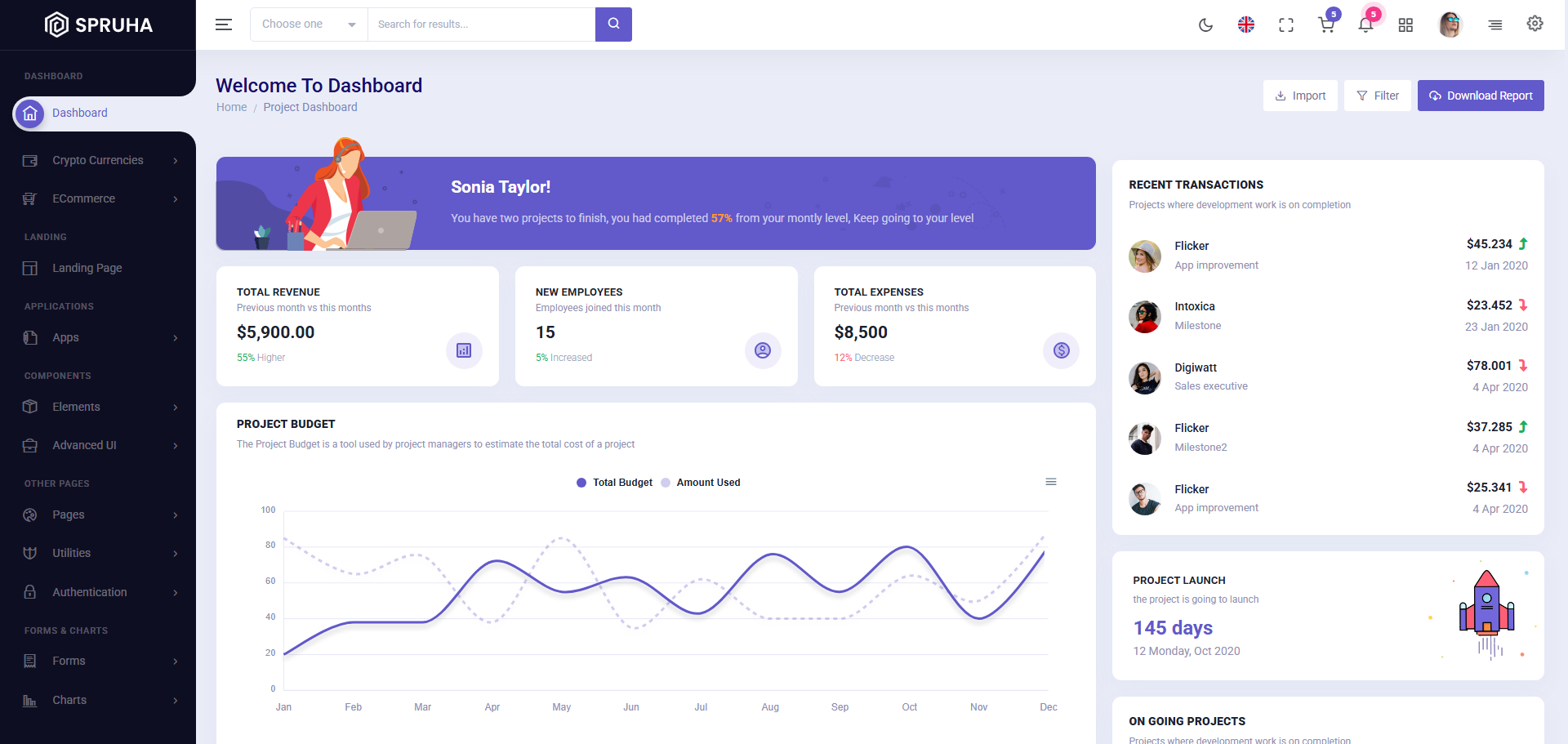
Built with Vue 3, Vite, and Bootstrap 5, Spruha Vue Admin Template is a flexible admin dashboard template created for SaaS platforms, CRM systems, and modern business applications. The template features a clean interface, responsive layouts, and multiple customization options that help developers create smooth and user-friendly admin experiences.
Spruha includes reusable Vue components, integrated plugins, charts, forms, tables, widgets, and ready-made pages that simplify frontend development. With support for RTL/LTR layouts, dark and light themes, and multiple menu styles, it provides a practical and scalable solution for modern Vue-based web projects.
Key Features:
- 3 Dashboard layouts
- Built with Vue and Bootstrap
- Available in React, .NET, Laravel, Django and more
- Multiple charts and tables
- 40+ integrated plugins
- Easy documentation
- Customizable
- High quality code
13. Synto
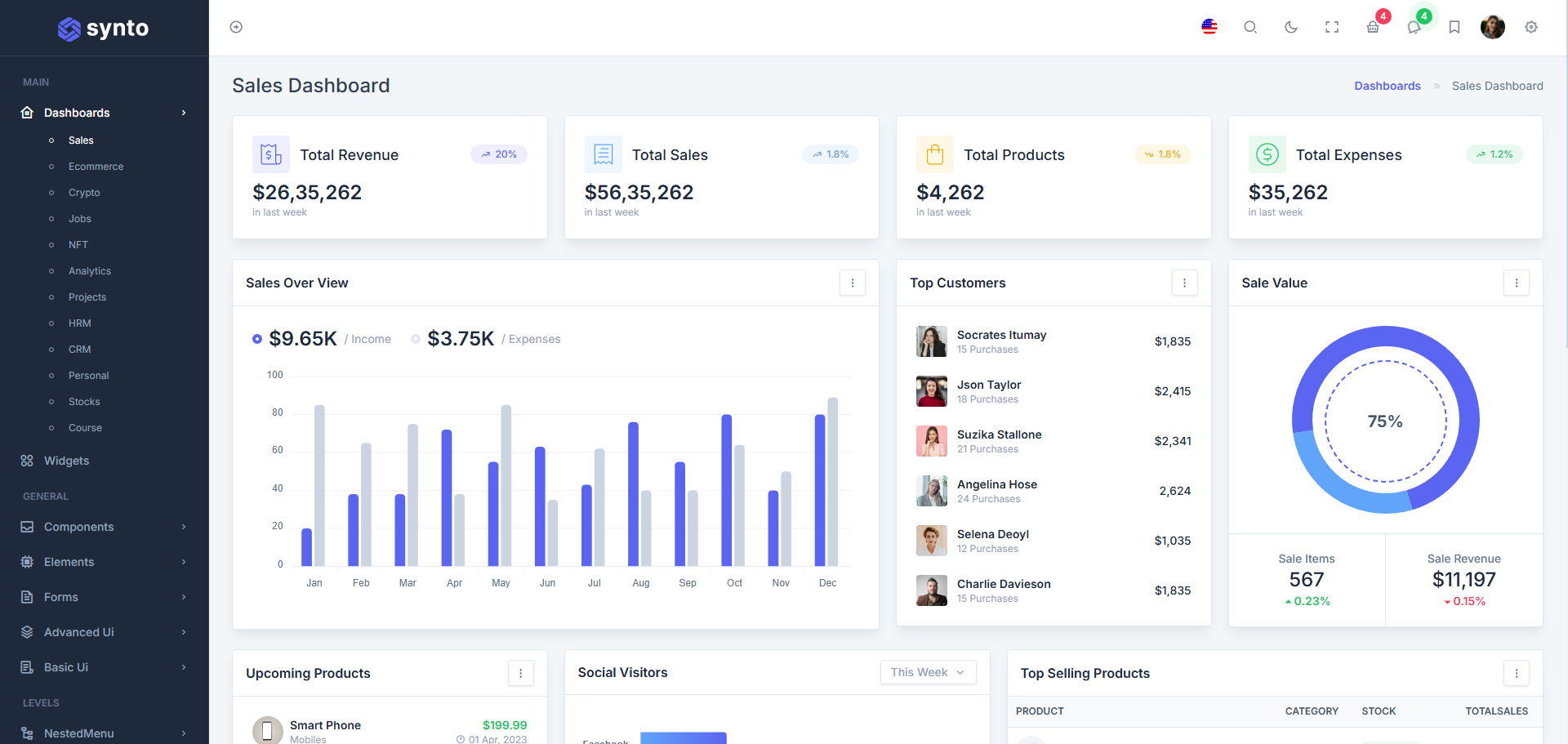
Focused on clean Laravel integration and utility-first styling, Synto Laravel Tailwind Admin Dashboard Template helps developers build modern SaaS dashboards with a faster and more organized workflow. The template combines Tailwind CSS flexibility with Laravel’s powerful backend ecosystem, making it suitable for scalable business and saas applications.
Synto offers a rich collection of dashboards, authentication pages, reusable UI blocks, forms, tables, and analytics components that reduce frontend development effort. Its neatly structured codebase, multiple layout options, dark mode support, and responsive design make the template practical for startups, CRM systems, and enterprise-level Laravel projects.
Key Features:
- Built with Laravel and Tailwind CSS
- Utility-first styling
- 12 dashboards
- Responsive design
- Well commented code
- RTL supported
- User-friendly interface
- Available across multiple technologies
- Regular updates
14. Adminor
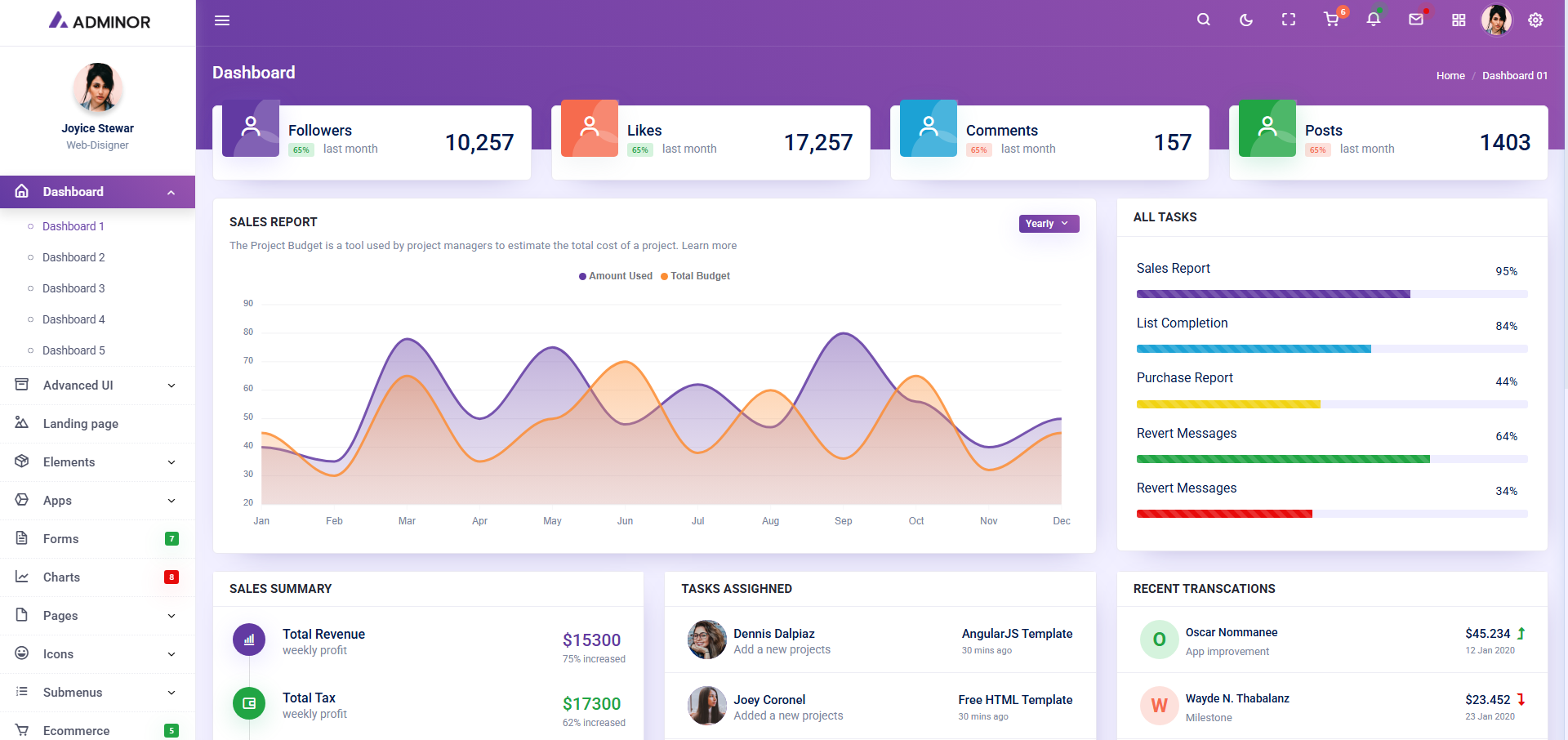
Adminor MVC ASP.NET Core Admin Dashboard Template delivers a polished dashboard environment tailored for ASP.NET Core business applications and enterprise management systems. Its clean visual hierarchy and neatly arranged interface make day-to-day admin operations feel more organized and efficient.
The template is packed with professionally designed pages, data-driven components, and essential dashboard elements that help developers speed up project development without spending extra time on UI structuring. With multiple layouts, theme styles, and a responsive framework, Adminor works well for scalable admin panels and modern SaaS solutions.
Key Features:
- 5 Dashboard variations
- Built with ASP.NET Core and Bootstrap
- Vertical and horizontal menu
- Multiple charts and icon sets
- Neat and clean code
- Easy customization
- Responsive to all screen sizes
- Starter kit for quick setup
- RTL and dark mode supported
15. Velvet
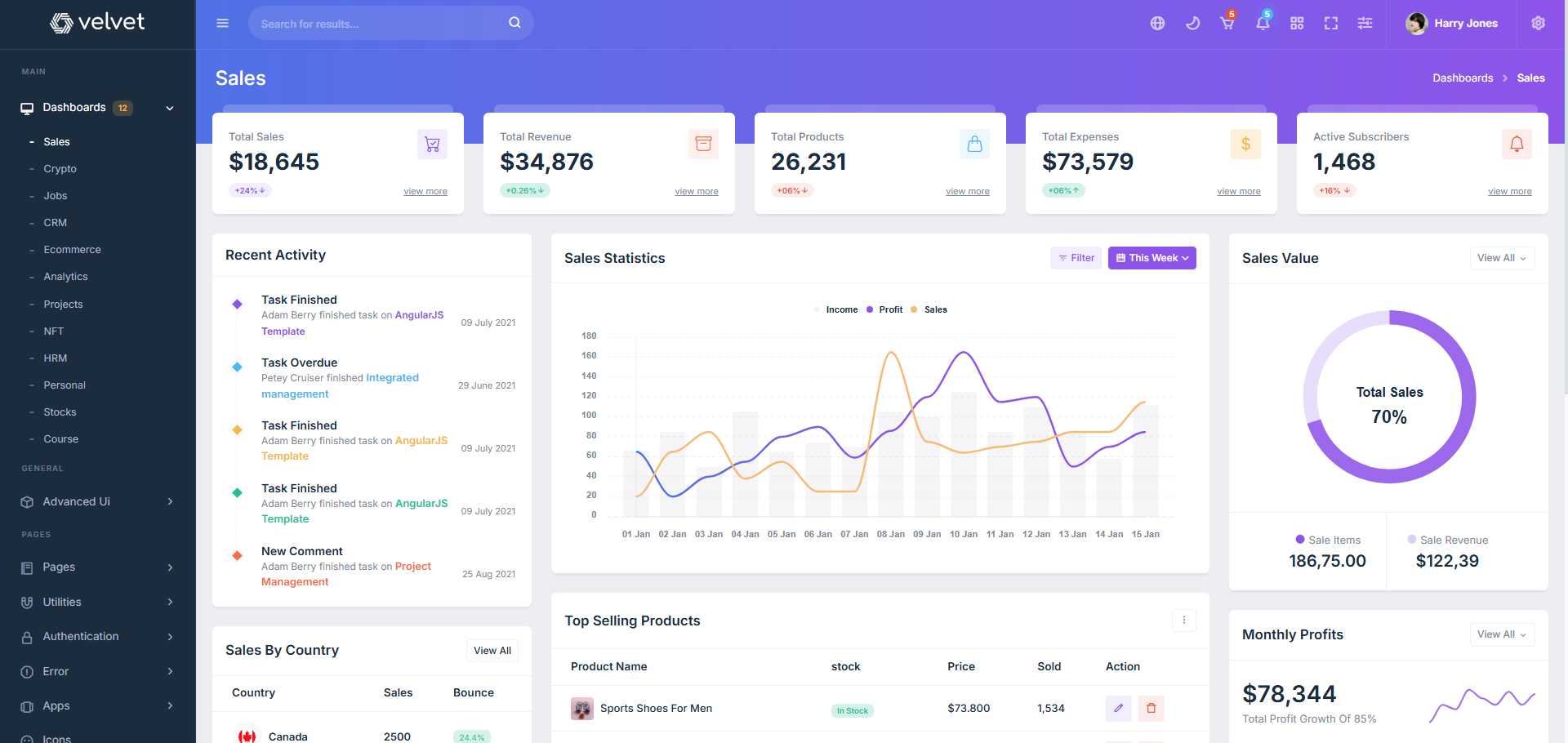
Velvet TypeScript NextJS Dashboard Template is a simple and modern dashboard template made for Next.js applications. It offers a clean interface with well-designed layouts that help developers create SaaS dashboards, admin panels, and business applications with less effort.
The template comes with useful pages, charts, tables, forms, and reusable components that make frontend development faster and more manageable. With responsive layouts, flexible customization options, and TypeScript support, Velvet is a great choice for building modern web applications.
Key Features:
- Built with Next.js and Bootstrap
- 12 Dashboard variations
- Easy to customize
- RTL and LTR supported
- Integrated dark UI experience
- Major browser compatibility
- Multiple menu styles
- Helpdesk support
- Responsive design
16. NOA
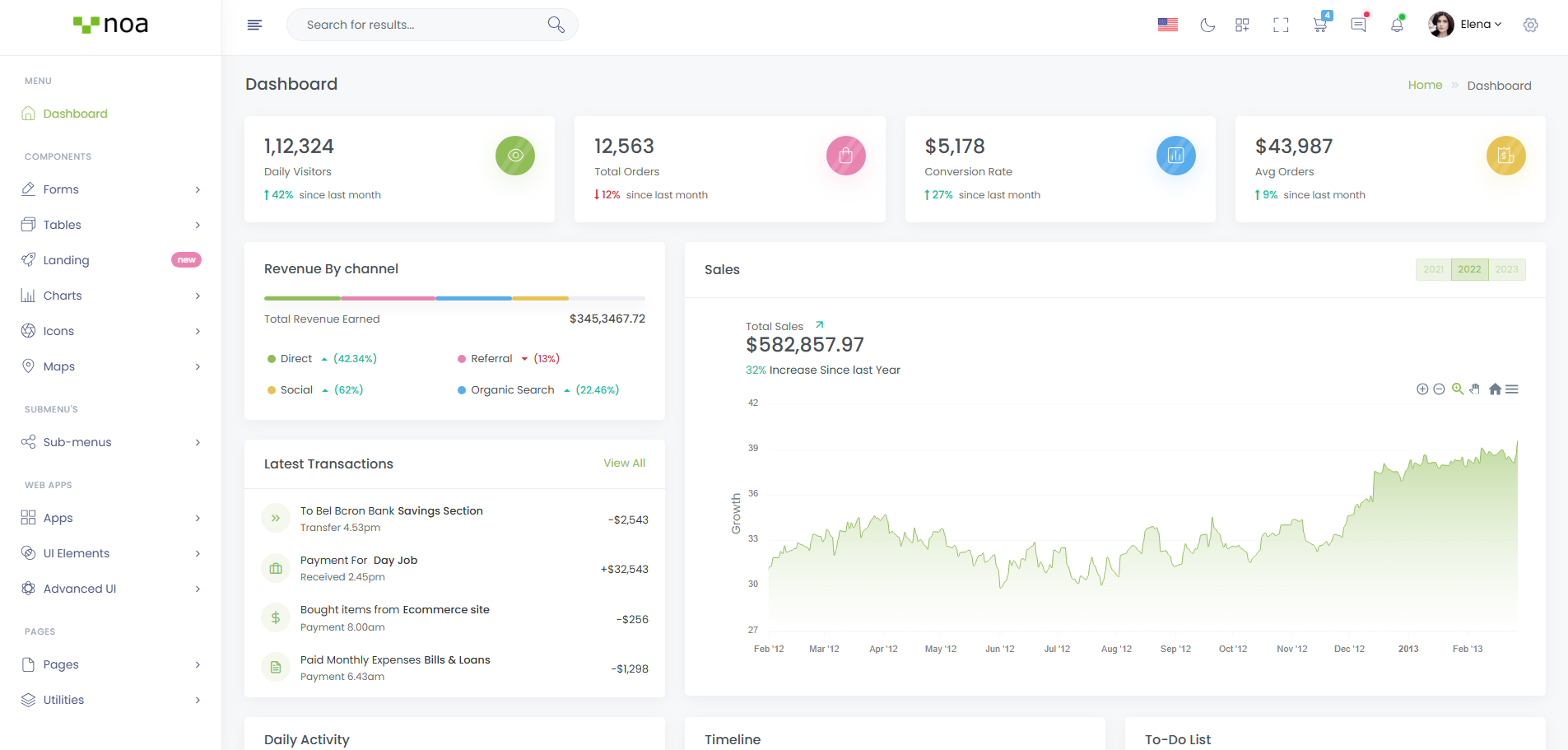
NOA PHP Admin Dashboard Template gives a smooth and clean dashboard experience for developers working on SaaS products, CRM software, and business management systems. The template keeps the interface simple and easy to navigate, helping projects look more professional without adding unnecessary complexity.
It comes with useful dashboard pages, tables, charts, forms, and UI sections that make frontend development quicker and more organized. With multiple color modes, responsive layouts, and flexible customization options, NOA works well for both small business projects and large admin applications. With this template, you can easily create responsive and customizable SaaS dashboards.
Key Features:
- Single dashboard layout
- Customizable
- Responsive design
- Proper documentation
- Built with PHP and Bootstrap
- Dark, light and color themes
- Well commented code
- SCSS powered
17. Udon
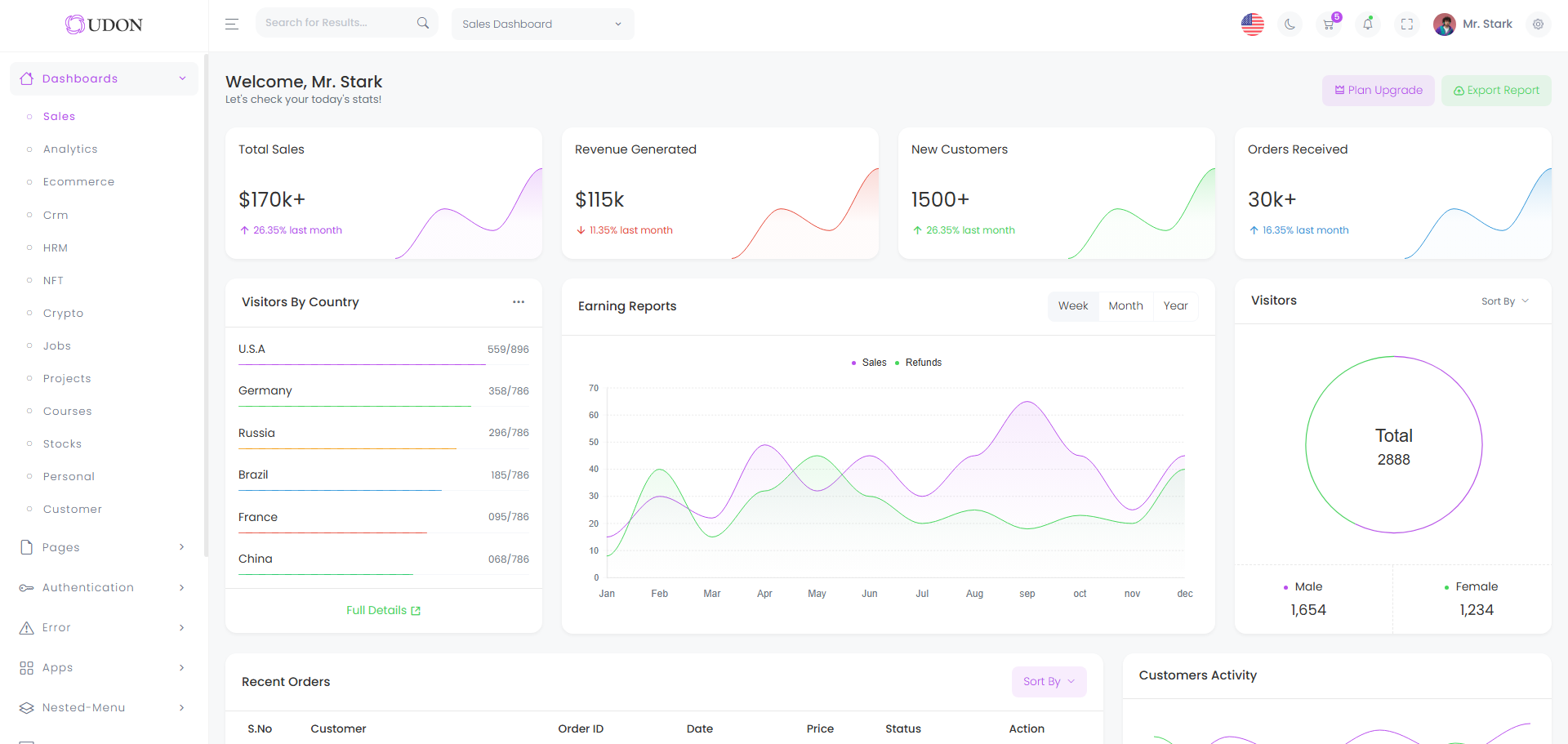
Udon Bootstrap Admin Dashboard Angular Template keeps things simple with a clean dashboard design that works well for SaaS applications, admin panels, and business management systems. Its organized interface and smooth layout structure help developers create professional-looking applications without spending too much time on frontend setup.
The template offers a good mix of ready-made pages, UI components, charts, forms, and tables that make development easier and more efficient. With responsive layouts, multiple theme styles, and flexible customization support, Udon is a practical option for modern Angular web projects.
Key Features:
- 13 different dashboards
- Fully RTL supported
- Built with Angular and Bootstrap
- 3 types of charts
- Convenient color switcher
- Different menu style options
- Free lifetime updates
- Easy customization
18. Rixzo
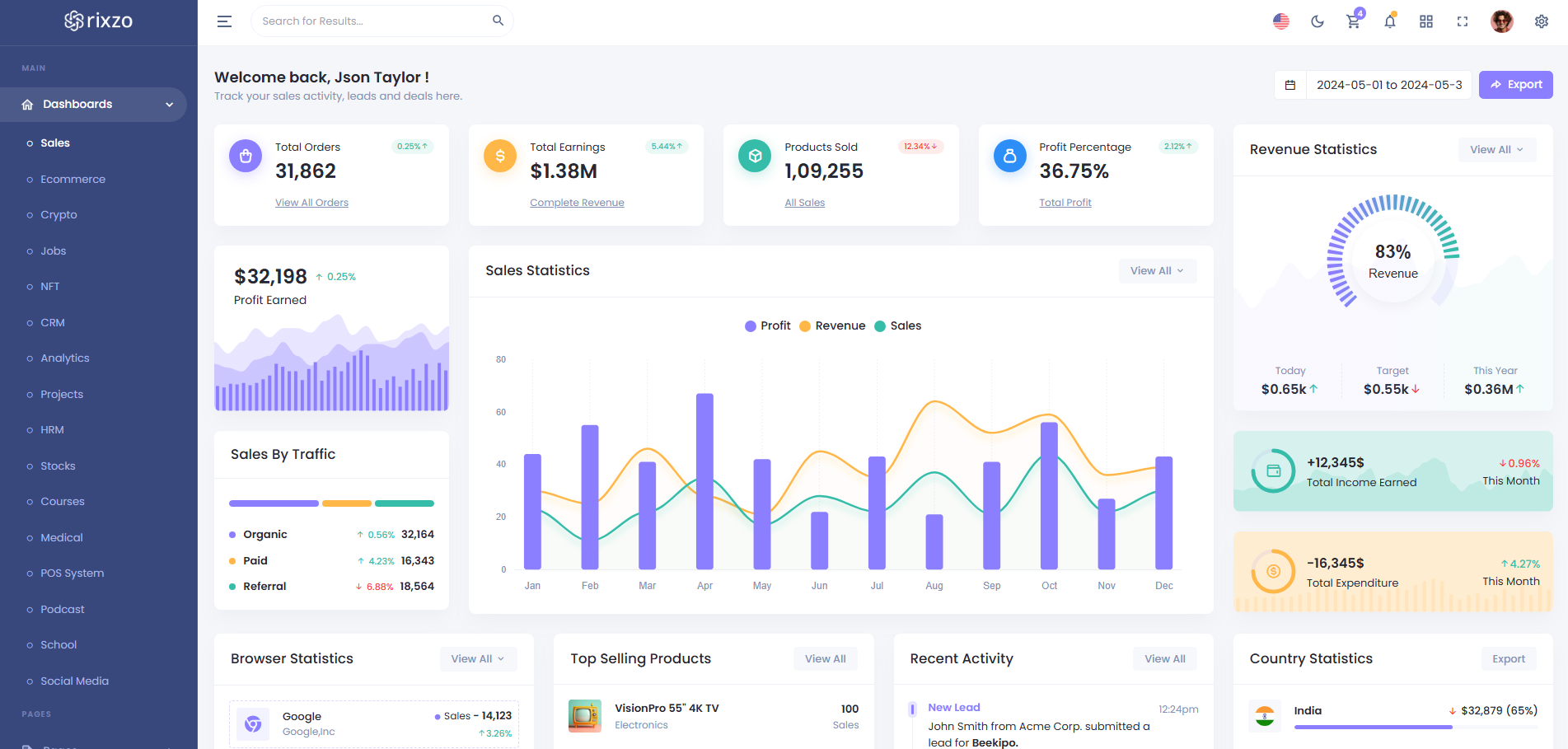
Managing a modern admin panel becomes much easier with Rixzo Bootstrap Laravel Admin Dashboard Template, thanks to its clean layout structure and developer-friendly design approach. The template is suitable for SaaS platforms, CRM software, analytics systems, and other business applications that require a professional dashboard interface.
Rixzo provides ready-made pages, reusable UI components, charts, forms, and tables that help reduce development time and simplify project setup. Its responsive design, flexible customization options, and organized Laravel integration make it a practical solution for scalable web applications.
Key Features:
- Built with Laravel and Bootstrap
- 16 dashboard variations
- Clean and simple design
- 3 types of maps and charts
- RTL supported
- Light and Dark theme
- Multiple menu options
- Easy customizations
- Many prebuilt pages
19. Meno
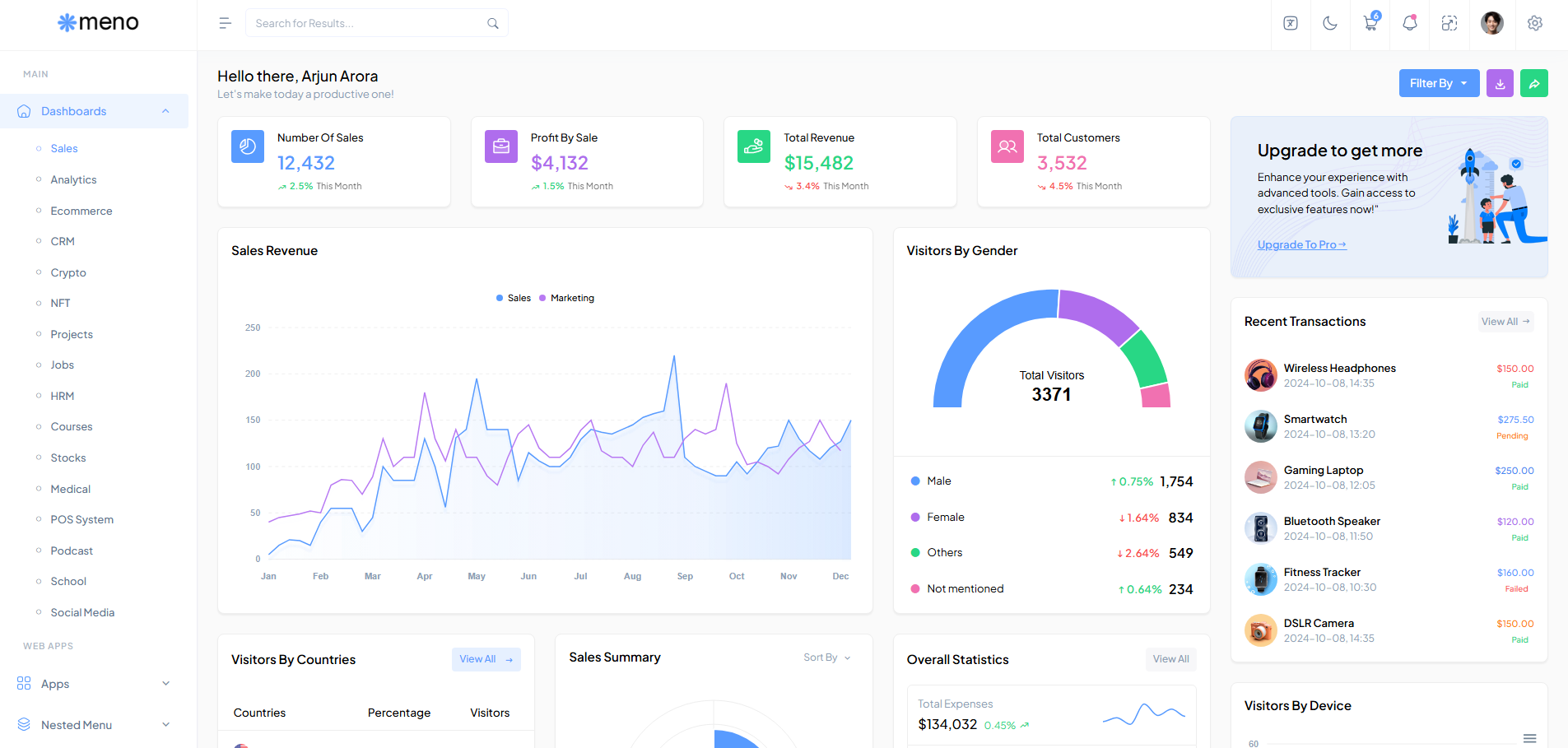
Meno Bootstrap Dashboard Panel ASP.NET Admin Template brings a simple and business-focused dashboard design for ASP.NET applications that need a clean and organized admin experience. The layout feels lightweight and easy to navigate, making it suitable for SaaS platforms, analytics systems, and internal management tools.
Instead of overly complex designs, Meno focuses on practical dashboard elements like tables, charts, forms, widgets, and ready-made application pages that help developers save time during project setup. Its responsive Bootstrap structure, customization flexibility, and neatly arranged components make it a comfortable choice for long-term web application development.
Key Features:
- 12+ different dashboards
- Multiple UI components
- Dark theme available
- RTL supported
- Responsive design
- 100+ prebuilt pages
- Built with .NET
- Responsive Bootstrap framework
- Extensive documentation
- Easy to create your own site
20. Yzen
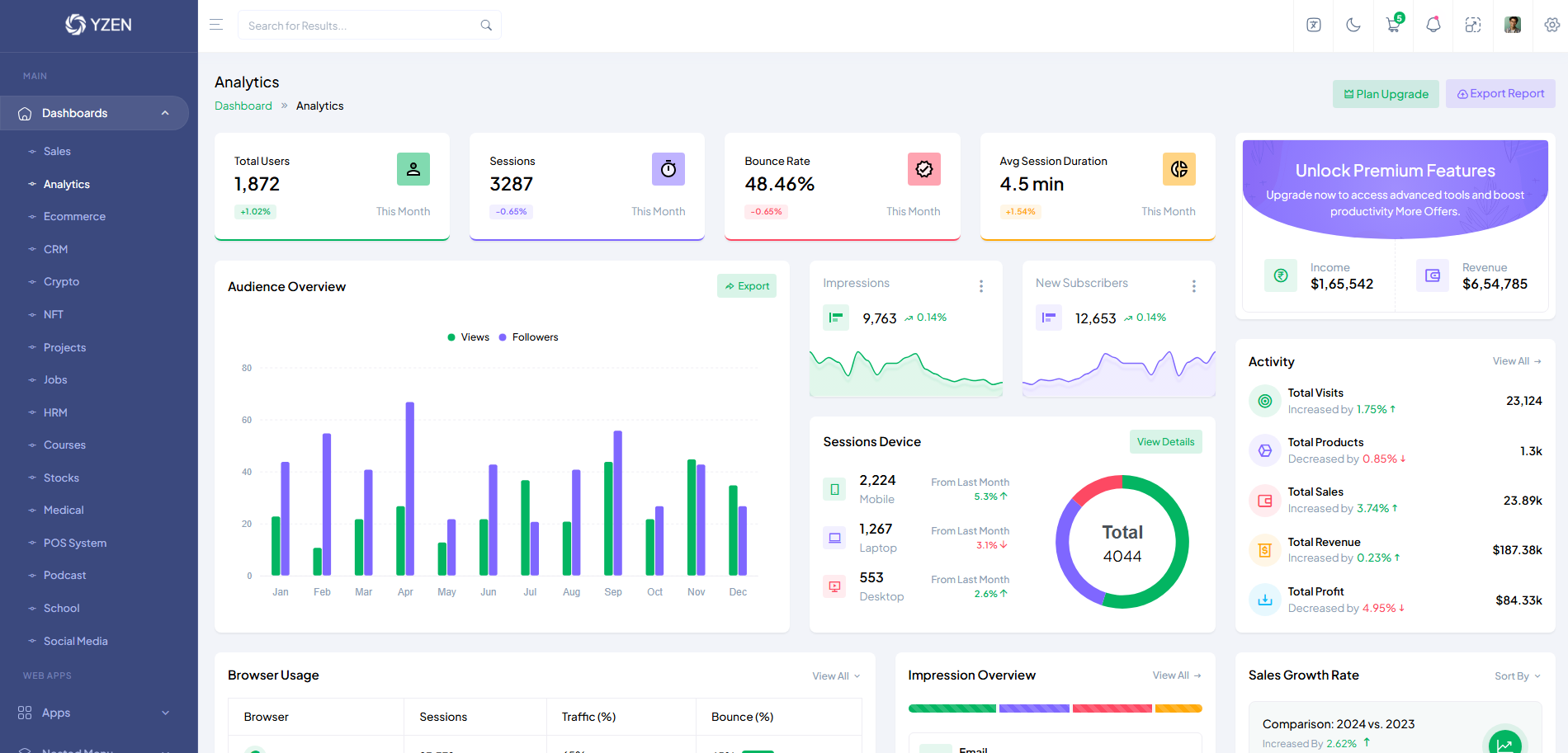
Yzen React TypeScript Bootstrap Admin Dashboard Template makes saas dashboard development feel more organized with its clean React-based interface and neatly structured layout system. The template is an excellent solution for business applications that require a clean and modern dashboard.
Instead of spending time creating pages from scratch, developers can use Yzen’s ready-made dashboards, tables, forms, charts, and UI sections to speed up project development. Its responsive design, TypeScript support, and flexible customization options make it a reliable choice for both startup projects and enterprise applications.
Key Features:
- 50+ UI elements
- 16 dashboards
- RTL supported
- Elegant dark mode interface
- Easy to customize
- Simple and clean code
- Responsive across all screen sizes
- Firebase authentication support
- Regular updates
How to Choose the Right SaaS Dashboard Template
Choosing the right SaaS dashboard template is important for building scalable, high-performance, and user-friendly web applications. A well-designed template not only improves development speed but also enhances the overall user experience and long-term maintainability of your SaaS project.
Before selecting a template, consider these key factors:
- Design & User Experience: Choose a template with a clean, modern, and responsive design. A professional UI helps improve usability and creates a better experience across desktops, tablets, and mobile devices.
- Performance & Code Quality: Always look for lightweight, optimized, and well-structured code. Clean coding standards make customization easier and help maintain better application performance.
- Customization Flexibility: A good SaaS dashboard template should offer flexible layouts, reusable components, multiple themes, and customizable UI elements that can adapt to different project requirements.
- Components & Features: A good SaaS dashboard template should include essential features like charts and analytics widgets, data tables, authentication pages, forms with validation, notifications, multiple dashboard variations, and support for dark mode or RTL layouts. These components ensure a complete, flexible, and user-friendly experience.
- Documentation & Support: Detailed documentation and reliable support are crucial for faster implementation and troubleshooting. Templates with active updates and professional support are always a better long-term choice.
- Technology Stack: Ensure the template is built with technologies that match your development environment, such as React, Bootstrap, HTML, Laravel, Django, Angular, or Vue.
- Scalability: Choose a template that can grow with your application. A scalable architecture makes it easier to add new modules, features, and integrations in the future.
Selecting the right SaaS dashboard template can significantly reduce development time, improve workflow efficiency, and help you build modern web applications faster and more effectively.
Final Thoughts
SaaS dashboards are the backbone of modern web applications, providing a centralized and structured way to manage data, users, and business operations. As SaaS products continue to scale, dashboards play a crucial role in simplifying complexity and delivering real-time insights in a clear, actionable format.
Choosing the right SaaS dashboard template significantly streamlines web development by reducing the need to build UI components from scratch. With pre-built layouts, reusable components, and optimized design systems, developers can speed up frontend development, improve workflow efficiency, and focus more on core business logic and product innovation.
Today’s SaaS dashboards are evolving with advanced capabilities such as real-time analytics, modular architecture, responsive design systems, and highly customizable interfaces. These features not only enhance user experience but also ensure better scalability and long-term maintainability for growing applications.
In short, SaaS dashboard templates are more than just UI kits—they are powerful development tools that help teams build faster, smarter, and more scalable web applications. Selecting the right dashboard can greatly improve development speed, product quality, and overall SaaS performance.
