


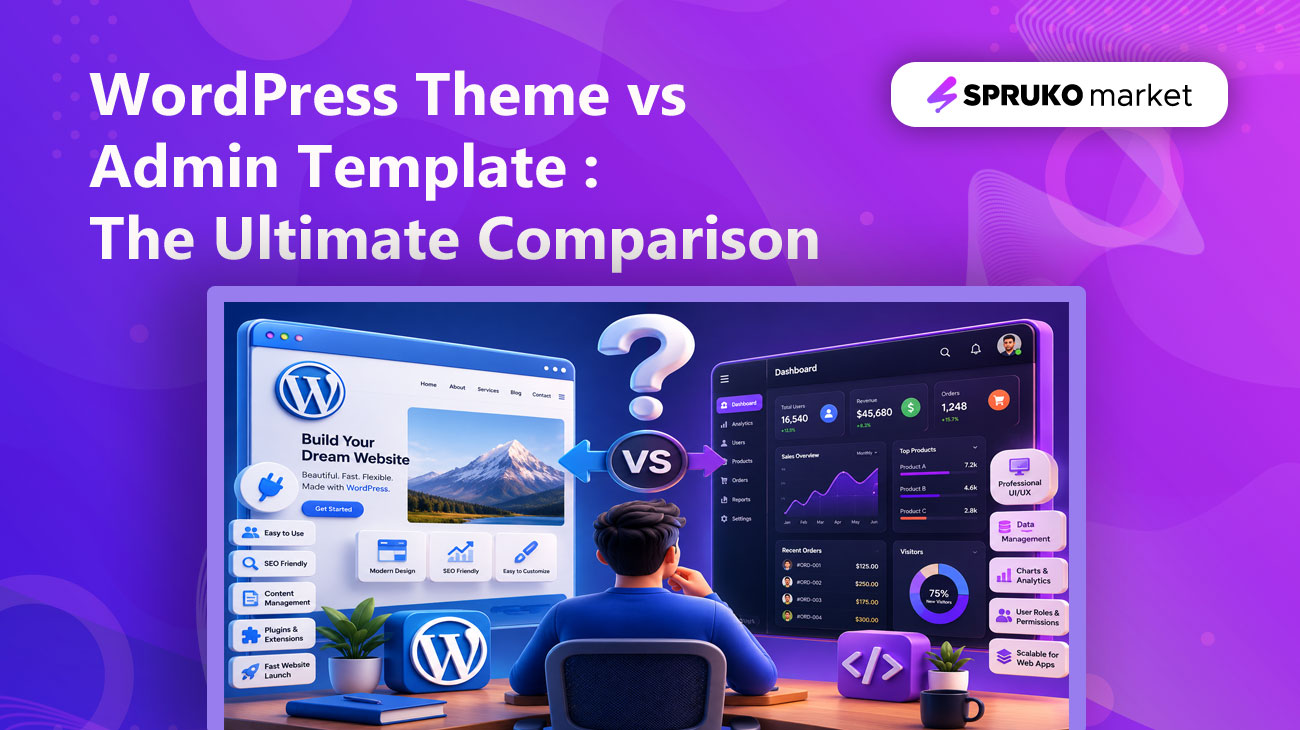
Are you confused between WordPress themes and admin templates? You are not alone. Many developers, business owners, and beginners often mix up these two terms, even though they serve different purposes in website and web application development. In this blog, we will clearly explain the key differences between WordPress themes and admin templates, how they work, and how to use them effectively based on your project needs.
In today’s digital ecosystem, building a website or web application has become easier than ever with the availability of ready-to-use solutions. However, choosing the right starting point can still be confusing, especially for beginners, developers, and business owners. WordPress Themes and Admin Templates are two of the most popular options for starting a digital project. Both help speed up development and make it easier to create professional digital products, but they are designed for different purposes, users, and project goals.
A WordPress Theme is best suited for creating professional websites that require features such as content management, blogging, publishing, custom pages, plugin support, and an easy-to-use admin dashboard. It is ideal for blogs, business websites, portfolios, news platforms, and other content-focused websites.
On the other hand, an Admin Template is best suited for building dashboards, SaaS panels, CRM systems, analytics platforms, eCommerce backends, and modern web applications. It provides ready-to-use UI components, layouts, charts, tables, forms, and interface elements that help developers build powerful backend systems faster and more efficiently.
Let’s understand the difference clearly before choosing the right solution for your website or web application. In this guide, we will compare WordPress themes and admin templates in detail, including their features, benefits, limitations, performance, customization options, maintenance requirements, and best use cases.
WordPress Themes vs Admin Templates:
WordPress themes and admin templates may seem similar, but they serve different purposes in website and web application development. A WordPress theme is used to create and design the public-facing part of a website, while an admin template is mainly used to build backend interfaces such as dashboards, control panels, analytics pages, and management systems.
In simple terms, a WordPress theme focuses on the visitor-facing website experience, whereas an admin template focuses on the backend user interface that helps manage data, users, reports, and application features efficiently.
What Is a WordPress Theme?
A WordPress theme is a collection of files bundled into a single package that defines the visual structure of a website built on the WordPress platform. It controls important design elements such as page layouts, typography, colors, headers, footers, and content sections.
WordPress themes are commonly used for business websites, blogs, news portals, portfolio websites, agency websites, online magazines, and eCommerce stores built with plugins like WooCommerce.
One of the biggest advantages of using a WordPress theme is that you do not need to edit code for every small change. You can update content, upload images, publish blog posts, customize pages, and manage key website elements through the WordPress dashboard, making website management easier and more flexible for both beginners and professionals.
What Is an Admin Template?
An admin template is a ready-made user interface design created for the backend or dashboard section of a web application. It usually includes essential interface elements such as dashboard layouts, charts, tables, forms, widgets, authentication pages, user management screens, settings pages, notifications, maps, calendars, and other reusable UI components.
Admin templates are built using technologies such as HTML, CSS, JavaScript, Bootstrap, Tailwind CSS, Angular, React, Vue, Laravel, and other modern frameworks. These pre-built templates help developers save time by providing a well-designed and structured foundation for creating web application interfaces.
Unlike WordPress themes, admin templates are not mainly used for public websites, blogs, or content-based platforms. They are primarily used for application dashboards, SaaS products, CRM software, project management systems, eCommerce admin panels, analytics tools, and business management platforms.
You may also check this list of admin dashboard templates for SaaS and CRM projects for more ideas and examples.
WordPress Theme vs Admin Template: Quick Comparison
| Feature | WordPress Theme | Admin Template |
|---|---|---|
| Main Purpose | Public websites and content management | Dashboards and web applications |
| Best For | Blogs, business websites, portfolios, eCommerce sites | SaaS apps, CRM panels, analytics dashboards, admin panels |
| Platform | Works with WordPress CMS | Works with frontend/backend frameworks |
| Coding Knowledge | Low to medium | Medium to high |
| Content Management | Easy dashboard-based editing | Requires development integration |
| User Interface | Website pages and layouts | Dashboard UI, charts, forms, tables, widgets |
| Customization | Theme options, plugins, builders, custom CSS | Code-level customization and framework integration |
| SEO | Important for public website ranking | Usually less important for private dashboards |
| Maintenance | WordPress, theme, and plugin updates | Framework, package, and code updates |
| Performance | Depends on theme, plugins, and hosting | Depends on code quality and framework setup |
| Best Users | Business owners, bloggers, marketers | Developers, startups, SaaS teams, agencies |
Key Differences Between WordPress Themes and Admin Templates
1. Purpose and Usage:
One of the key differences between a WordPress theme and an admin template lies in their purpose and application. A WordPress theme is designed to create the public-facing interface of a website. It enables visitors to explore pages, read blog posts, view services, contact a business, browse products, and engage with website content through a structured, visually appealing, and user-friendly experience.
In contrast, an admin template is built for the backend or dashboard section of a web application. It provides users with an organized interface to manage data, monitor analytics, configure control panel settings, update records, track activities, and perform essential business operations efficiently.
Best choice for public websites: WordPress Theme
Best choice for web application dashboards: Admin Template
2. Ease of Use:
WordPress themes are generally more accessible for beginners and non-technical users because they operate within the WordPress dashboard. Users can easily create pages, publish blog posts, manage menus, upload images, and update website content without writing code. Many modern themes also support visual page editors, theme options, and intuitive customization tools, allowing users to design and manage their websites with greater flexibility.
Admin templates, on the other hand, are more developer-oriented. They provide pre-designed UI layouts, components, and interface elements, but developers typically need to integrate them with backend systems, APIs, databases, authentication workflows, user roles, and business logic to make them fully functional within a web application.
Best choice for ease of use: WordPress Theme
3. Customization Flexibility:
WordPress themes offer convenient customization through theme settings, visual page editors, plugins, widgets, and custom CSS. This makes them highly practical for users who want to modify layouts, colors, sections, and website content without requiring advanced technical expertise.
An admin template, however, provides a deeper level of application-specific customization. Developers can efficiently modify layouts, dashboard modules, charts, forms, tables, navigation structures, authentication pages, routes, and reusable components according to the specific requirements of a project.
Best choice for application-level customization: Admin Template
4. Design Structure:
A WordPress theme usually includes website-focused pages such as home, about, services, blog, contact, portfolio, pricing, product, and landing pages. Its main goal is to present information, promote services, publish content, and create a smooth experience for website visitors.
An admin template includes application-focused screens such as dashboards, user profiles, login pages, registration pages, password recovery pages, charts, data tables, forms, settings, invoices, calendars, chat screens, email layouts, maps, reports, and management panels.
Best choice for website pages: WordPress Theme
Best choice for dashboard screens: Admin Template
5. Website Speed and Performance:
WordPress themes can deliver strong performance when they are lightweight, well-structured, and paired with reliable hosting. However, website speed may be affected by resource-heavy themes, excessive plugin usage, unoptimized images, poor database management, and the absence of effective caching mechanisms.
Admin templates can also achieve high performance when they are properly optimized and implemented with clean, efficient code. Their overall efficiency depends on factors such as the chosen framework, code quality, number of UI components, API requests, JavaScript files, data tables, charts, and the broader application architecture.
Best choice for simple website performance: WordPress Theme
Best choice for scalable application UI: Admin Template
6. SEO Capabilities:
SEO is an important factor for WordPress themes because they are commonly used for public websites, blogs, business pages, landing pages, and eCommerce stores. WordPress also supports SEO plugins that help manage meta titles, meta descriptions, sitemaps, schema markup, redirects, and content optimization.
Admin templates are usually used for private dashboards or login-based applications, so SEO is not always a primary requirement. However, if an admin template includes public landing pages or application marketing pages, developers can optimize them using proper headings, meta tags, structured data, clean code, and performance best practices.
Best choice for SEO-focused websites: WordPress Theme
Best choice for private dashboard applications: Admin Template
7. Content Management:
If a website requires frequent blog posts, news updates, case studies, resource articles, service pages, or marketing-focused content, a WordPress theme is often the more suitable choice. Since WordPress is built around a powerful content management system, it allows users to publish, organize, edit, and manage content efficiently from a centralized dashboard.
Admin templates, by contrast, are not primarily designed for content publishing. They are typically built to manage application data, users, reports, analytics, forms, workflows, and internal business operations through a structured backend interface.
Best choice for regular content updates: WordPress Theme
8. Security:
WordPress is powerful and flexible, but because it depends on themes, plugins, login systems, and databases, it requires regular security maintenance. Website owners should keep WordPress core, themes, and plugins updated to reduce security risks and protect website data.
Admin templates also require strong security, especially when they are used in applications that handle user data, admin controls, payment information, analytics, business records, or sensitive operations. Security mainly depends on how developers implement authentication, authorization, API protection, backend validation, role management, and data privacy.
Best choice for simple content websites: WordPress Theme
Best choice for secure application dashboards: Admin Template with proper development practices
9. Maintenance:
WordPress websites require continuous maintenance, including plugin updates, theme updates, regular backups, security monitoring, compatibility testing, performance optimization, and content management. While WordPress is generally easier for non-technical website owners to operate, it still requires consistent attention to ensure stability, security, and long-term performance.
Admin templates, on the other hand, require a more technical level of maintenance. Developers may need to update framework versions, packages, dependencies, UI components, APIs, authentication logic, and custom features as the application evolves and scales.
Best choice for non-technical content maintenance: WordPress Theme
Best choice for developer-managed applications: Admin Template
Benefits and Limitations of WordPress Themes and Admin Templates
WordPress Themes:
Benefits:
- WordPress themes are beginner-friendly and allow users to manage website content without advanced coding knowledge.
- They are practical for blogs, business websites, portfolios, online stores, and content-focused platforms.
- Strong plugin support makes it easy to add SEO tools, contact forms, analytics, newsletters, booking systems, security features, and eCommerce functionality.
- They help businesses launch professional websites faster by using ready-made designs, customization options, and an easy content management dashboard.
Limitations:
- WordPress themes may become slow when they are overloaded with unnecessary features, complex design elements, excessive animations, or too many plugins.
- Website performance also depends on several external factors, including hosting quality, image optimization, caching setup, database efficiency, and the overall coding standards of the theme.
- Another important limitation is ongoing maintenance. WordPress websites require regular updates, security monitoring, plugin management, backups, and compatibility testing to remain stable and secure.
- If updates and maintenance tasks are ignored, the website may experience slower loading speeds, broken functionality, compatibility issues, or increased security vulnerabilities.
- Some WordPress themes may also restrict advanced customization, especially when users need highly unique layouts, custom features, complex user flows, or application-level functionality.
- For complex web applications, custom dashboards, advanced workflows, backend systems, or data-driven platforms, WordPress themes may not offer the level of flexibility and scalability required.
Admin Templates:
Benefits:
- Admin templates help developers reduce development time by providing pre-designed layouts and reusable UI components for modern web applications.
- Instead of creating every dashboard screen from the ground up, developers can begin with ready-to-use elements such as charts, tables, forms, widgets, authentication pages, navigation menus, user profiles, settings pages, and dashboard layouts.
- They are especially useful for developing SaaS platforms, CRM systems, eCommerce admin panels, analytics dashboards, project management tools, HR management systems, finance dashboards, and enterprise-level web applications.
- Admin templates offer a consistent user interface, responsive design, well-organized structure, and reusable components that simplify the development process.
- By using an admin template, developers can build professional, scalable, and user-friendly application interfaces more efficiently while maintaining visual consistency across the entire dashboard.
Limitations:
- Admin templates provide a strong ready-made foundation for building dashboards and web application interfaces, but they are not complete applications by default.
- They mainly include the UI structure, layouts, components, and starter files, while the functional side of the application still needs to be developed based on project requirements.
- To make an admin template fully operational, developers usually need to connect it with backend services, APIs, databases, authentication systems, user roles, permissions, real-time data, and business workflows.
- Although well-documented admin templates can speed up development, they still require proper customization, configuration, and technical implementation.
- Features such as data handling, server setup, deployment, security rules, and custom business logic must be managed separately by the development team.
- Unnecessary components, poor integration, unused scripts, or unoptimized code can affect application performance and user experience.
- To get the best results, admin templates should be carefully customized, optimized, and integrated according to the exact needs of the project.
How to Choose Between a WordPress Theme and an Admin Template?
The right choice depends on whether your project is focused on public website management or custom application development. A WordPress theme is better when your priority is content, SEO, publishing, and easy website control. An admin template is better when your project requires dashboards, data management, user roles, reports, forms, and application workflows.
Choose a WordPress Theme When You Need:
- A business website, blog, portfolio, magazine, or content-focused platform
- Easy content updates without advanced coding knowledge
- SEO support through plugins, blog publishing, and page optimization
- Website features such as service pages, contact forms, media uploads, and WooCommerce support
- A faster website launch with a user-friendly content management system
If you are planning a business or startup website, check out our guide on website templates for businesses, startups, and agencies for more design ideas.
Choose an Admin Template When You Need:
- A professional dashboard or backend interface for a web application
- A SaaS panel, CRM system, ERP panel, analytics dashboard, or eCommerce admin area
- Ready-made UI components such as charts, tables, forms, widgets, and navigation elements
- User management, role-based access, reports, and application-level workflows
- A scalable interface that developers can connect with APIs, databases, and backend systems
In short, choose a WordPress theme for a website that needs simple content management, and choose an admin template for a web application that needs a structured backend interface.
Best Choice by Use Case:
Every project has different functional needs, so the best option depends on whether your priority is content management, application control, development flexibility, or long-term scalability.
Best Option for Business Websites
For business websites, the better choice depends on how the website will be used. If the business mainly needs service pages, company information, blog posts, contact forms, portfolios, testimonials, or marketing content, a WordPress theme is a practical and efficient solution.
However, businesses that need internal tools such as client portals, booking dashboards, reporting systems, customer management panels, or operational workflows may benefit more from an admin template. In this case, the focus is not only on presenting information but also on managing business processes through a structured interface.
Best Option for Developers
Admin templates are highly valuable for developers who want to speed up dashboard and web application development. They provide a ready-made design foundation with reusable UI components, responsive layouts, charts, tables, forms, navigation elements, and pre-built pages.
WordPress themes are also useful for developers working on client websites, especially when the project requires quick delivery and easy content management for the client after launch. The choice depends on whether the developer is building a content-driven website or a custom application interface.
Best Option for SEO and Online Visibility
For SEO-focused projects, WordPress themes usually offer a stronger starting point because WordPress supports blogging, page optimization, SEO plugins, metadata control, sitemaps, schema markup, and internal linking.
Admin templates are generally used for private dashboards or login-based systems, where search engine visibility is not the main objective. However, if an admin template includes public pages such as landing pages, documentation, pricing pages, or product sections, those pages can still be optimized through clean code, fast loading speed, responsive design, structured headings, and proper on-page SEO practices.
Best Option for Long-Term Scalability
A WordPress theme is suitable when the project is expected to grow as a content-rich website with more pages, articles, categories, media, and marketing sections over time.
An admin template is more suitable when the project needs to grow into a feature-rich application with user management, role-based access, analytics, workflow automation, database-driven modules, and custom functionality.
Closing Summary
A WordPress theme and an admin template are not direct competitors because they are built to solve different development needs. A WordPress theme is designed to create and manage the public-facing side of a website, while an admin template is created to build the backend interface or dashboard of a web application.
Choose a WordPress theme if your project is focused on content, SEO, business pages, blogs, portfolios, or online stores. Choose an admin template if your project requires data management, user roles, analytics, reports, workflows, or a custom web application dashboard.
In many professional projects, both can work together. A WordPress theme can power the public website, while an admin template can support the private dashboard or backend system.
Whether you are looking for a WordPress theme, admin template, admin dashboard, UI kit, or another ready-to-use web development resource, SprukoMarket provides high-quality digital products that help you build websites and web applications faster, smarter, and more efficiently.
Explore modern, responsive, clean-coded, and easy-to-customize templates designed for developers, startups, agencies, businesses, and digital product teams.
Visit SprukoMarket today and choose the right template to power your next project with confidence.
